DocsMonitoring and insights
Inspect the Raw AI Answer, Brand Mentions and Cited URLs
Use saved question-level answers to inspect brand mentions and cited sources.
Availability and responsibility
Use saved question-level answers to inspect brand mentions and cited sources.
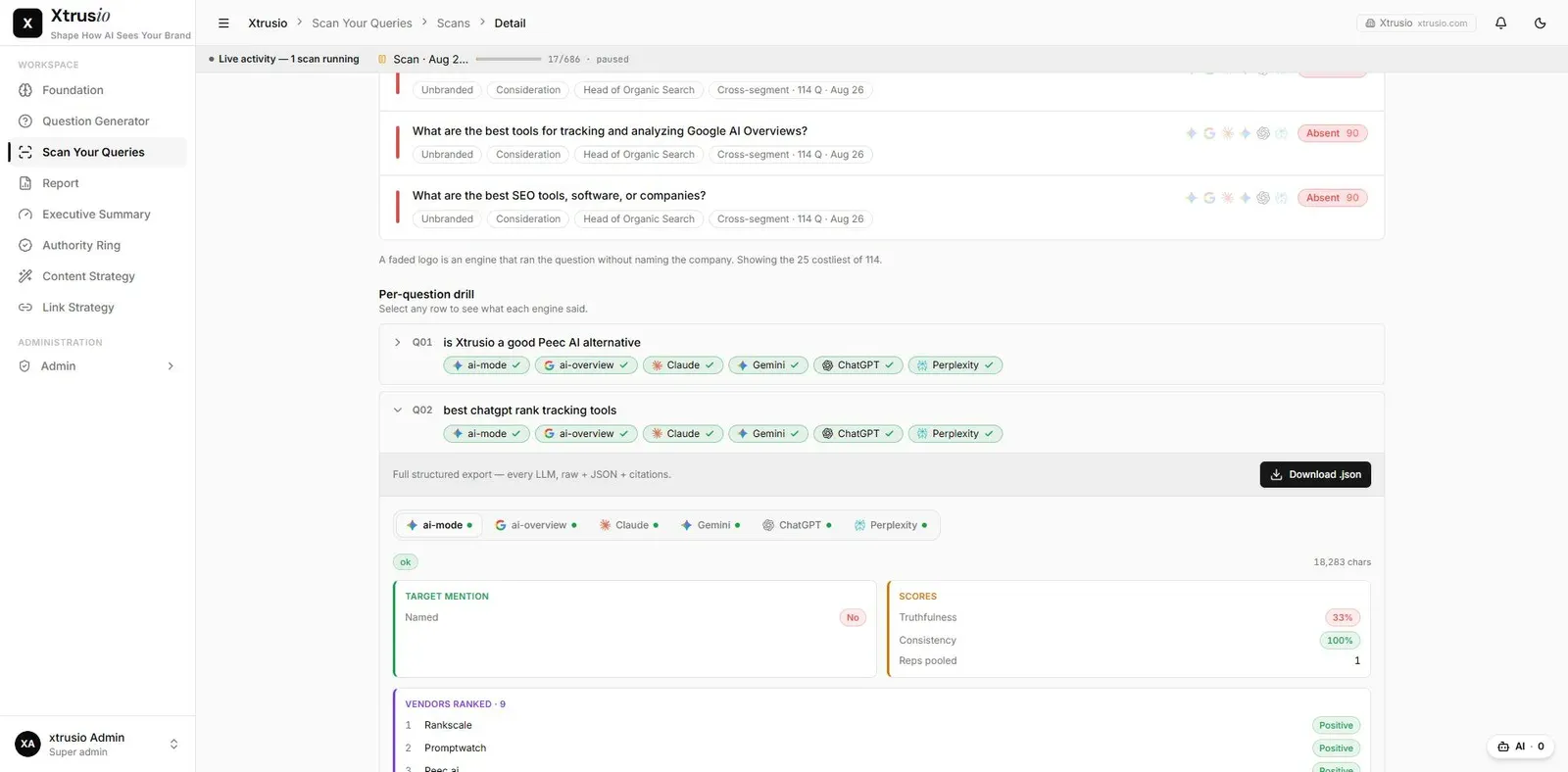
The raw answer explains what happened behind a visibility score. Open it to verify the question, platform, brand references and cited pages before deciding what to change.
Read one observation in order
- Confirm the exact buyer question.
- Select the engine-specific answer.
- Read the full response, not only the named-brand summary.
- Check which brands were mentioned and how they were described.
- Open the cited URLs and confirm which page each link reaches.
- Record the conclusion with the question and observation context.
A citation supports some part of an answer; it does not necessarily endorse every claim or recommend the company behind the page.
Three different outcomes
Consider a hypothetical answer about renewal obligations. It may name Vendor A without linking to it, cite Vendor B's guide without naming Vendor B, and link to an industry article discussing both.
These produce different evidence: a brand mention, an owned-page citation and a third-party citation. A combined “visible” badge can hide those distinctions.
What to do with the evidence
If the answer names competitors but omits your product, identify the question it answered and the sources it used. If it cites your page but describes the product incorrectly, review the claim and the relevant passage before proposing a rewrite.
If the source list looks duplicated
Check whether entries point to the same page with different query parameters, redirects or fragments. Preserve the original URL in the evidence record. Do not silently merge entries until the matching rules are understood.
Choose one conclusion the raw answer supports and link that conclusion to its exact evidence.