DocsMonitoring and insights
Monitor Your Brand Across AI Answer Engines with Xtrusio
Engine coverage and access depend on your deployment and service agreement.
Availability and responsibility
Engine coverage and access depend on your deployment and service agreement.
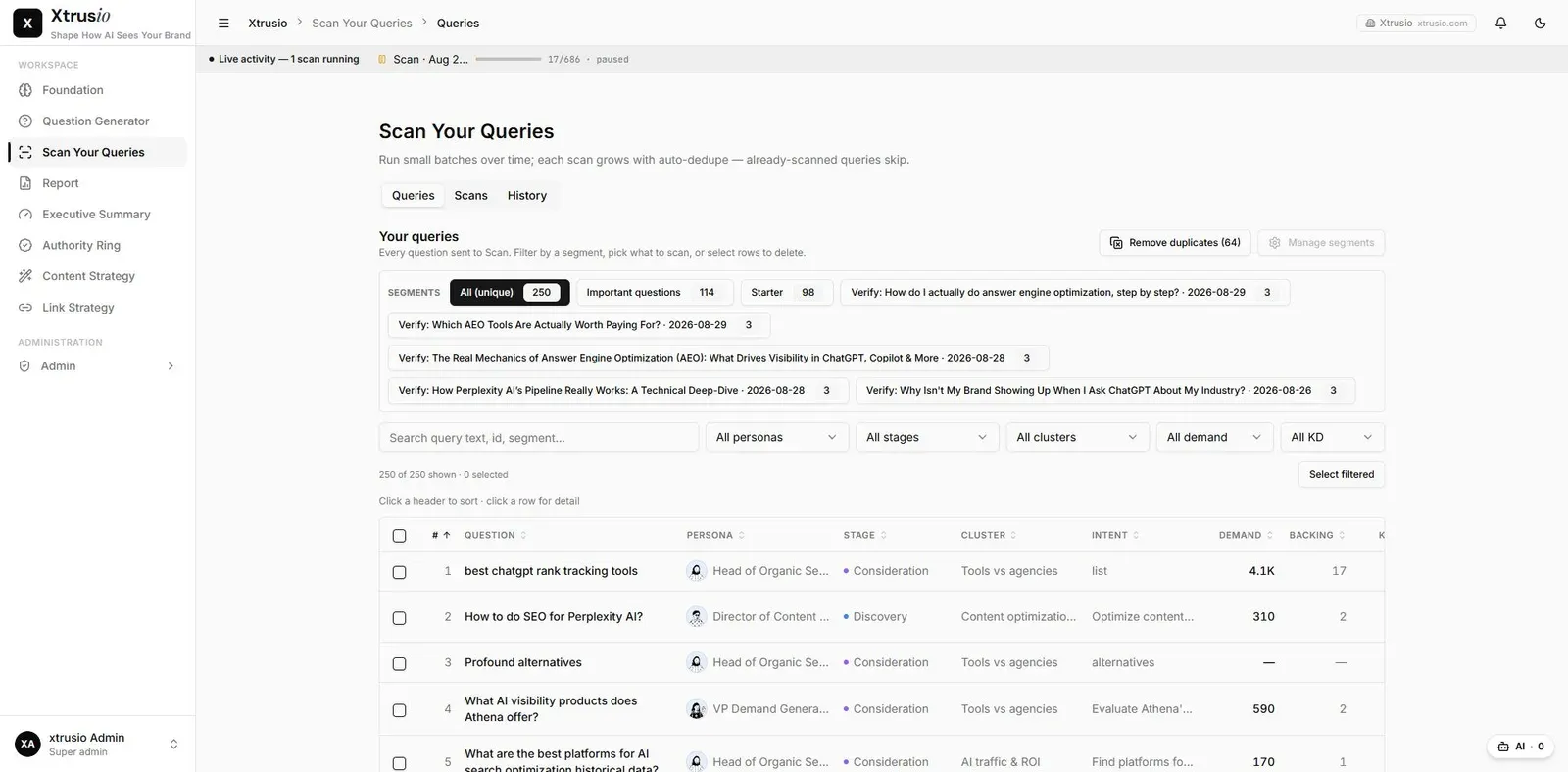
Xtrusio stores engine-specific observations so a team can inspect where its brand appears and what each answer says. Read those observations separately before relying on a combined visibility number.
For a question without its own keyword-volume value, Xtrusio uses the volume associated with a related keyword. If no volume or related keyword is available, Xtrusio requests an informed estimate through an AI-model API, such as ChatGPT or Claude. During instance setup, the team cross-checks the keyword research and uploads the finalized SEMrush dataset into Xtrusio to generate questions. The software displays one final volume value without separate source or estimate labels. Related-keyword volume and AI estimates do not establish the number of people asking that exact question in an AI service.
Establish the monitoring scope
Start with the question set prepared through Question Generator: company and competitor research informs an initial SEMrush and Ahrefs keyword foundation. Question Generator expands it with persona-based, related, long-tail and company-requested questions, then the team selects 150–200 target questions. Monitoring begins after that selection. Agree the questions to scan, engine or search mode, intended market and recheck schedule. Google AI Mode and AI Overviews are different experiences and must not be treated as the same result.
Supported integrations include Claude, Gemini, ChatGPT, Grok, Perplexity, Google AI Overviews and Google AI Mode. Coverage depends on configuration and agreement. Standard collection uses AI APIs or search-data providers, not authenticated consumer-app sessions. Country and language requirements can be scoped in the client-specific layer; a universal locale selector is not implied.
Inspect an existing result
- Open Scan Your Queries and select the relevant scan or question record.
- Confirm the exact question.
- Select an engine-specific result.
- Read the answer and its cited URLs.
- Record successful answers separately from failures, unavailable results and missing features.
- Compare other engines only after confirming comparable input and collection context.
Use an existing scan for review. Starting another scan may consume allowance and should follow the agreed operating process.
Example
In a hypothetical three-engine check, one answer names the brand, another cites its page without naming it, and the third fails to return a usable result. Those are three different states. Calling the third a confirmed absence would turn a collection failure into a market conclusion.
When results differ
Check wording, mode, collection context and timing first. A later result can change without proving the effect of newly published content.
Choose one question and inspect its saved answer on each available engine before deciding what content work is needed.