DocsFoundation and setup
Set Up Your Company, Products and Competitors in Xtrusio Foundation
Foundation holds the company context used by your team. Access and editing responsibilities follow your account permissions.
Availability and responsibility
Foundation holds the company context used by your team. Access and editing responsibilities follow your account permissions.
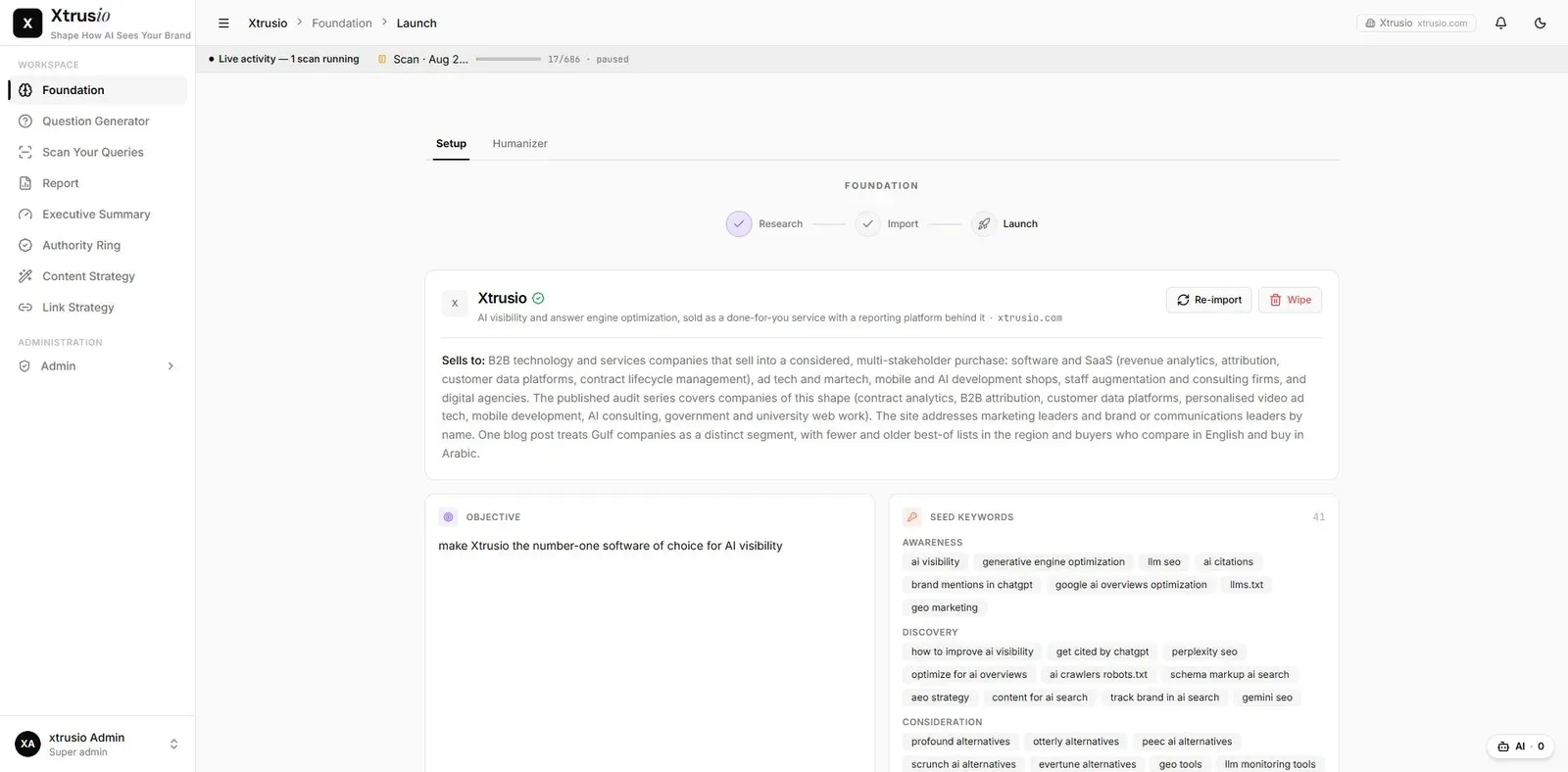
Foundation holds the company context used to guide research and content work. Before execution and client-specific customization proceed, Xtrusio's team reviews the Foundation with the client across meetings. The client approves the buyer questions, product and service descriptions, facts and figures. This is a manual approval process; AI-generated suggestions do not replace client approval. A generated description is a proposal for review until the client approves it.
For a question without its own keyword-volume value, Xtrusio uses the volume associated with a related keyword. If no volume or related keyword is available, Xtrusio requests an informed estimate through an AI-model API, such as ChatGPT or Claude. During instance setup, the team cross-checks the keyword research and uploads the finalized SEMrush dataset into Xtrusio to generate questions. The software displays one final volume value without separate source or estimate labels. Related-keyword volume and AI estimates do not establish the number of people asking that exact question in an AI service.
Prepare an approved company brief
Collect the company's preferred name, website, product descriptions, target audiences and relevant competitors. Add source links for claims that a writer or reviewer might need to check.
Separate a product fact from a positioning ambition. “Supports contract renewal reminders” needs product evidence. “Become the first vendor buyers consider” is an objective.
Build the client knowledge base
During Foundation setup, Xtrusio scans the client's important website pages, including pages the client suggests, to build a RAG knowledge base. RAG means retrieval-augmented generation: article creation refers to this stored client material, described in the workflow as the Markdown or RAG reference. The client reviews and approves the Foundation before downstream work proceeds.
How company research becomes buyer questions
The company profile and competitor set guide initial keyword research using SEMrush and Ahrefs, with occasional Google Ads Keyword Planner cross-checks. Question Generator builds on that foundation with persona-based questions, related and long-tail questions, and company-requested questions. The team filters the candidates into 150–200 questions the company wants to gain visibility for, then uses the agreed set for AI monitoring.
A mistake in the company or competitor context can send keyword research toward the wrong market. Resolve those inputs before selecting the monitoring questions.
Review Foundation
- Open Foundation in the relevant client instance and confirm the company identity.
- Read the business and audience descriptions against the approved brief.
- Review competitors, personas, buying journey, topic clusters and linkable pages shown in that instance.
- Send corrections through your agreed editing or review process. If you cannot edit, give the team the exact field, current wording and replacement.
- Check one subsequent question or brief to confirm that the corrected context is reflected where expected.
The client approves changed company facts before Foundation and website knowledge are refreshed. Section labels can vary by client configuration. Check affected drafts separately: a Foundation update does not establish that every existing draft has been detected, rewritten or invalidated.
Example: product versus audience
A contract product may serve legal and procurement teams. A procurement question about renewal obligations should not automatically receive a legal drafting angle. Keep the product description consistent while allowing persona-specific questions.
This is an illustrative example of context use, not a claim about automatic persona routing.
If old wording keeps appearing
Check whether the output predates the correction. Then ask which context version and source produced it. Do not repeatedly change the company profile merely to repair one existing draft.
Finish with a short list of approved facts, unresolved claims and the person responsible for resolving each one.