DocsMonitoring and insights
Understand Query Fanout and Related Questions in Xtrusio
Query Fanout records the AI platform's search queries collected during scans. Executive Summary presents this scan-derived data separately from the related questions Xtrusio creates in Question Generator.
Availability and responsibility
Query Fanout records the AI platform's search queries collected during scans. Executive Summary presents this scan-derived data separately from the related questions Xtrusio creates in Question Generator.
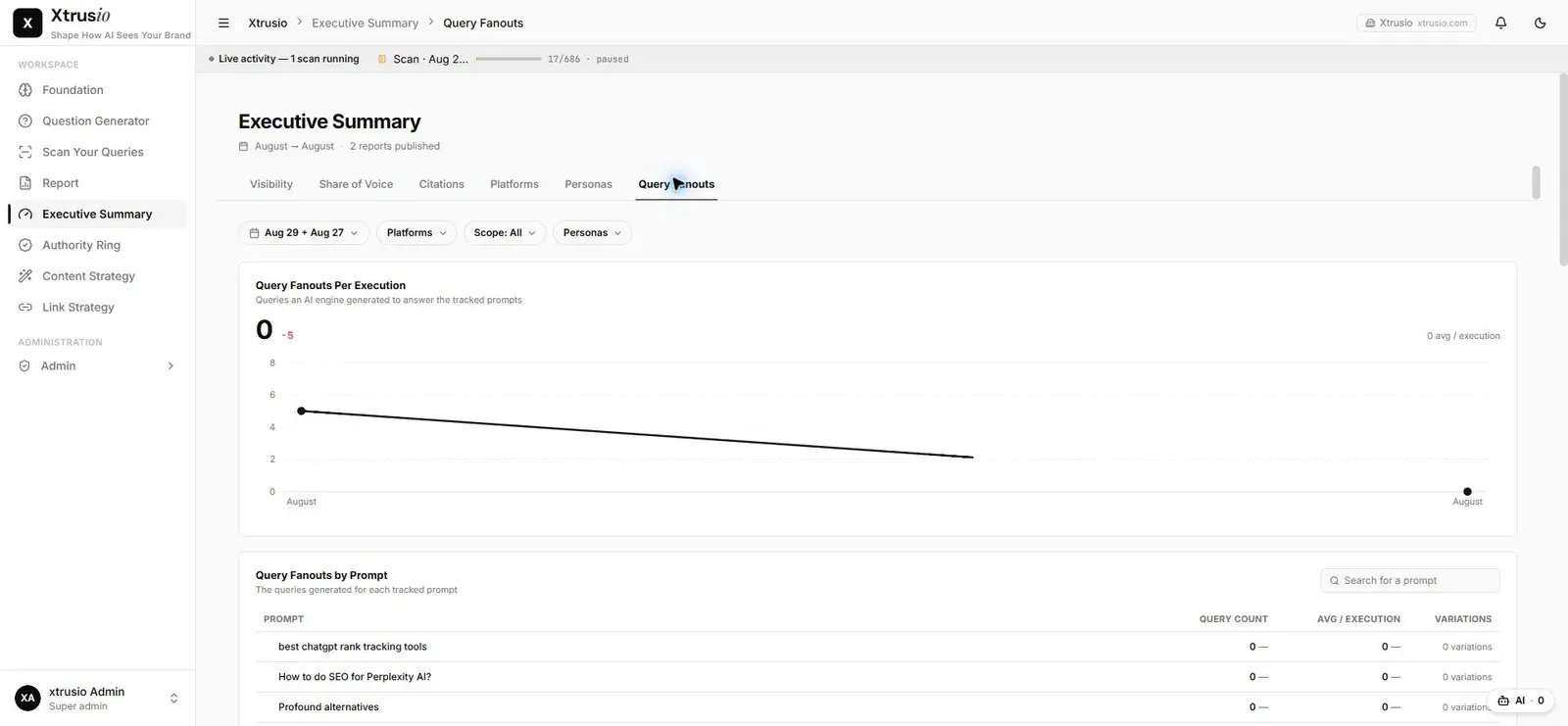
The two serve different purposes: Question Generator prepares questions for research and monitoring; Query Fanout shows the AI platform's recorded search activity while answering scanned questions.
Follow the data flow
- Select the approved questions for monitoring through the agreed scan workflow.
- As scans collect answers, available AI-platform fanout data is recorded separately.
- Open Executive Summary to review the collected fanout summary.
- Keep the selected scan and platform scope in view when interpreting the result.
Fanout data can change from one scan to another. The same starting question does not imply an identical set of searches every time. Treat each result as an observation from the selected scan scope, not a permanent list of searches.
Read the Executive Summary
In the Sirion instance, the Fanouts section contains four summary cards:
- AI searches run: the recorded fanout query count for the displayed scope.
- Naming us: fanout queries that include the company name.
- Naming rivals: fanout queries that name at least one competitor.
- Top co-searched: competitor names appearing in the recorded fanout searches.
The view provides platform, scope, persona and scan-selection controls. Check the selection before comparing summaries. A fanout search naming a company is not the same as the final answer mentioning it or citing its website.
Keep Question Generator separate
Related questions created by Xtrusio remain in Question Generator and can become monitoring inputs through the approved workflow. They are not inserted into Query Fanout as evidence that an AI platform performed those searches.
For example, the team might generate a question about contract renewal obligations. A later scan may record additional searches performed by the AI platform while answering it. The generated starting question and those recorded searches have different origins, even if their wording overlaps. This is an illustrative example, not a reported scan result.
Use fanouts to guide investigation
Review the recorded search activity alongside the original question, answer and cited sources. It can help the team investigate which aspects of the topic or competitors appeared during the platform's research.
Do not treat a fanout alone as proof that a particular page was read or caused the answer. Use the actual citation record when checking whether a published URL was cited.
If no fanout data appears
Check that the reports have loaded and that the intended scan scope is selected. Then confirm whether fanout data was collected for the relevant platform and scan. Missing records do not establish that the AI platform performed no searches.
Native search-query fanout is collected where supplied by Claude, Gemini, ChatGPT and Grok. The current integration does not expose it for Perplexity, Google AI Overviews or Google AI Mode. Missing fanout remains empty; it is not replaced with generated questions.