DeepSeek Search API Opens: What Brands Can Test Before Agents Find Their Pages
Short answer
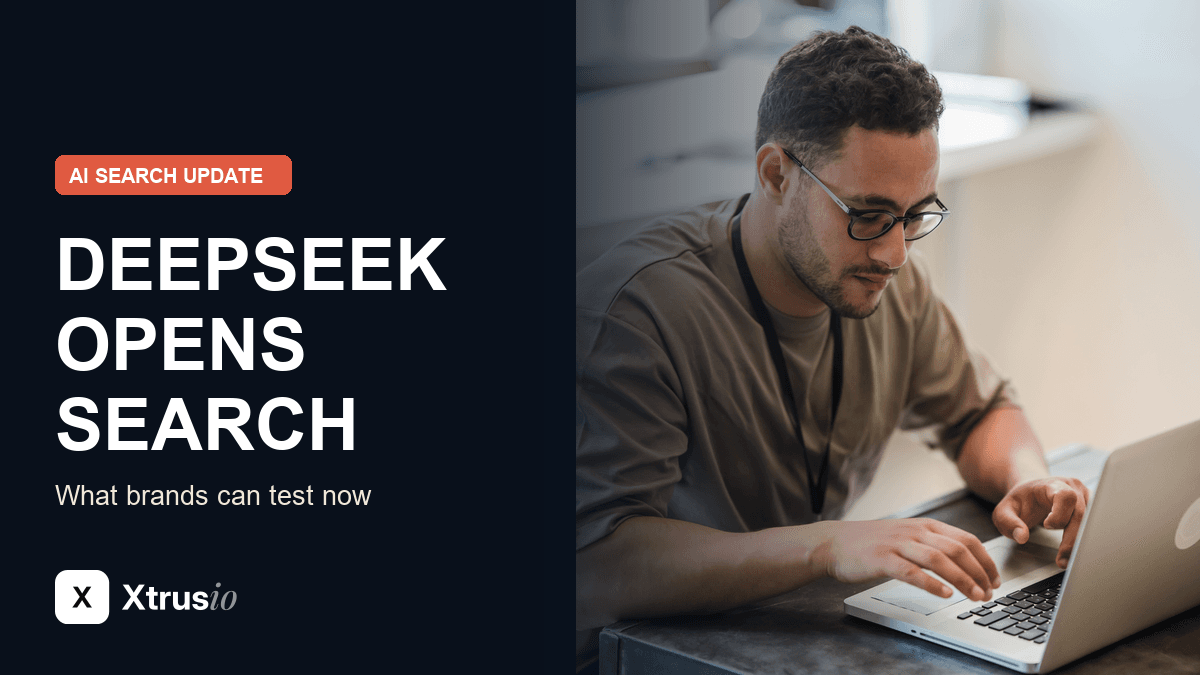
DeepSeek opened its Search and Fetch APIs to everyone on 17 October. That gives developers another way to retrieve web pages for an agent or a retrieval application. For a brand, the immediate job is to check whether its important pages can be found for real buyer questions, whether the returned text preserves the right facts, and whether a later AI answer actually cites the page. Those are three separate checks, not one visibility score.
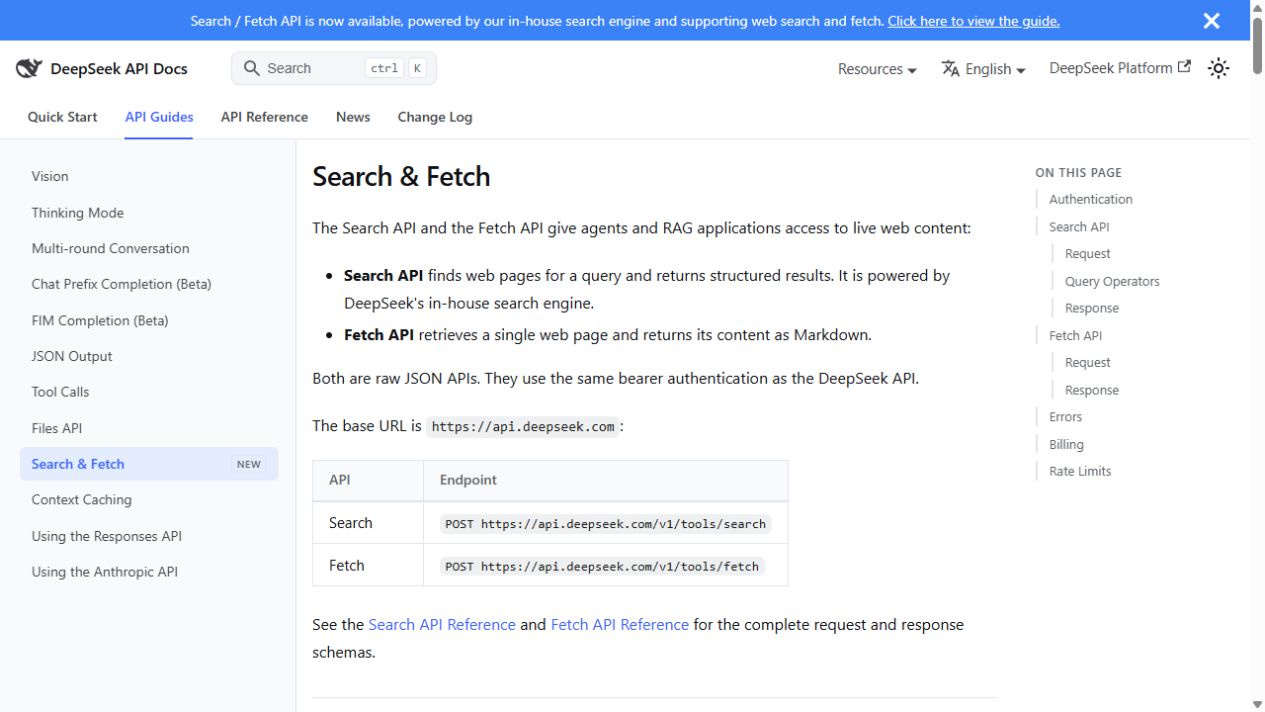
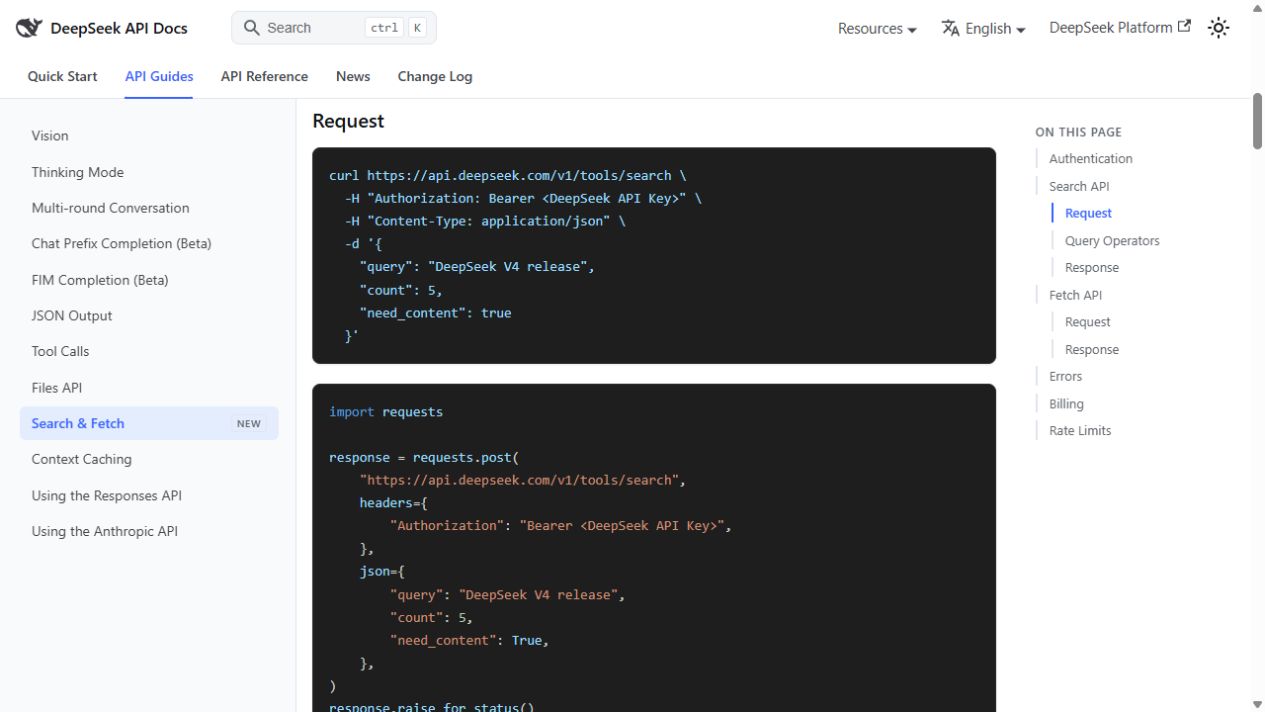
The release has a clear scope. DeepSeek's guide says Search finds pages for a query and returns structured results; Fetch retrieves one URL and returns its content as Markdown. The guide describes raw JSON APIs that require a DeepSeek API key. We inspected the public documentation but did not make an authenticated API call. The examples in the screenshots below are DeepSeek's documentation examples, not Xtrusio test results.
What changed on October 17?
The official release note announces that the Search and Fetch APIs are open to everyone. The Search endpoint is POST /v1/tools/search; the Fetch endpoint is POST /v1/tools/fetch, according to the API guide. DeepSeek describes the underlying search engine as its own and says it handles a large volume of requests. That scale is DeepSeek's claim, not an independently verified measurement of how often any brand appears.
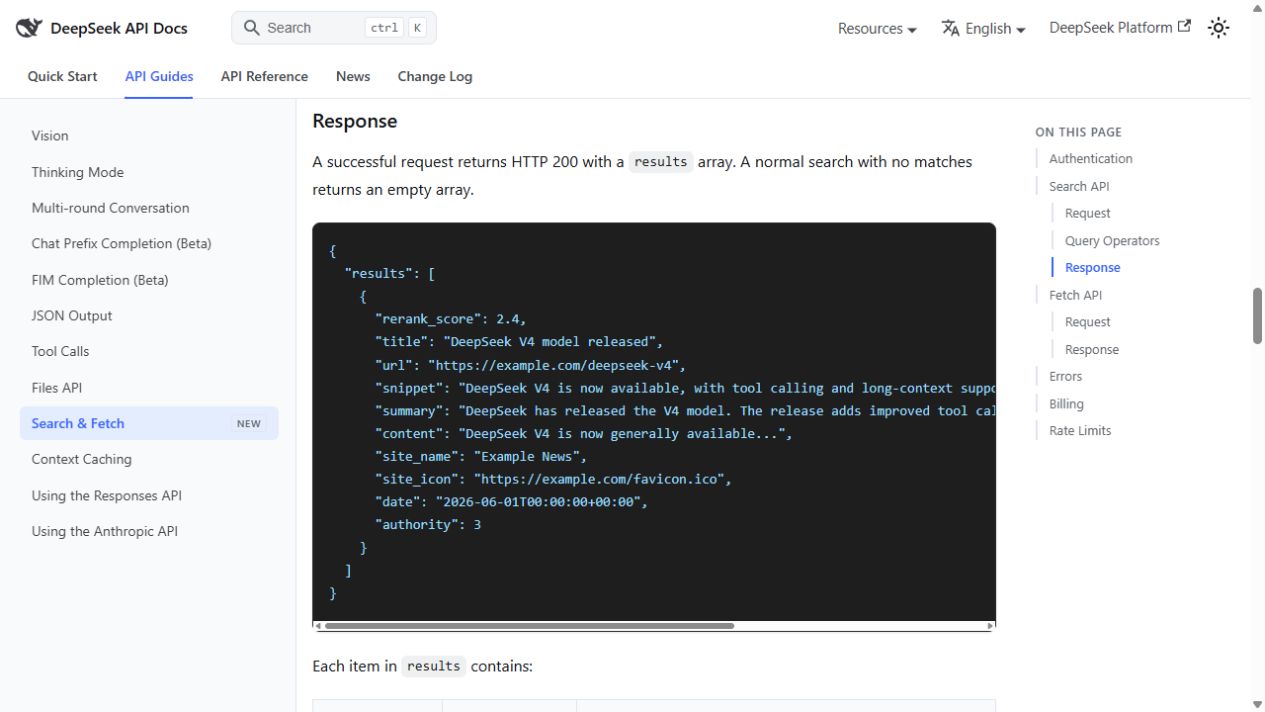
- Search: An array of results may include a title, URL, snippet, summary and, when available, page content. This shows that a page appeared for that API query and response.
- Fetch: A response supplies the title and Markdown content for a specified URL. This shows what the API could retrieve from that page at that time.
- An AI answer: Search and Fetch do not return the assistant's final answer. A citation requires a separate, observed answer that cites the exact URL.
The distinction matters because the API can find a page without an agent using it, and an agent can read a page without crediting it in its final answer. If your team reports “AI visibility,” record the question, platform, date, answer and exact cited URL instead of treating a search-result appearance as a citation. That is the same separation we use when explaining how often to monitor brand answers.
Which fields are useful, and which are easy to overread?
The Search response documentation lists the URL, title, snippet, longer summary, optional content, a date when known, an authority tier and a relevance score. Its example JSON is illustrative. The content field is empty when full content was not requested or is unavailable. A missing date can simply mean the API did not know the publication time. An authority tier or relevance score describes DeepSeek's response; it is not independent proof that a page is correct or that a model will cite it.
DeepSeek also says in its October 17 change log that its search engine filters SEO spam, GEO manipulation and low-quality AI content. The public announcement does not publish a test or a complete set of ranking rules for those filters. Do not turn that claim into a supposed optimization formula. The safer editorial response is to make the page useful to a buyer, substantiate its claims and keep its company and product facts consistent.
A practical test for a brand's own pages
This is a proposed test, not a result we obtained from DeepSeek. A developer with API access can run it without changing the site.
- Choose three real buyer questions. Use a category question, a comparison question and a question about a verifiable product detail. Keep the wording and location constant when repeating the test.
- Record the Search result. Save the date, query, returned URL, title, summary and whether the page's content was supplied. An empty result is a normal possible response under DeepSeek's documentation; it is not by itself proof that the site is blocked.
- Fetch the exact page URL. Compare the returned Markdown with the live page. Check whether the answer, evidence, pricing date, product name and link destination survived extraction. The guide says Fetch can fail because of site availability, site policy, unsupported content or a page with no extractable Markdown.
- Inspect a later answer separately. If you are testing an AI assistant, save the full answer and its cited URLs for the same buyer question. Only call the page “cited” when the answer links that exact URL. Do not infer a citation from Search or Fetch alone.
For the website side of that work, our AI readability checklist covers the practical page and access questions. For the content side, Citation-Grade Content explains the source and claim review that should happen before publication. Xtrusio's broader workflow connects a buyer question to a planned page and checks citation evidence later in the engines it supports. This article does not claim a DeepSeek integration or a DeepSeek citation result.
What should marketers change today?
Start with the buyer question, not a newly named algorithm. On each important page, put the direct answer near the top; make product facts easy to verify; cite primary evidence for figures; and link a claim to the page that actually supports it. If a page is moved, check that the old URL resolves to the intended current page. These are editorial and site-hygiene actions, not a guarantee of placement in DeepSeek's API or an AI answer.
Then separate three report columns: found in Search, read in Fetch, and cited in an answer. Mark “not tested” where the team did not run a step. That prevents a result screenshot from becoming an unsupported claim about recommendations. The same discipline helps when AI-search monitoring feeds an SEO plan.
Sources
- DeepSeek release announcement, 17 October 2026
- DeepSeek Search and Fetch API guide, read 18 October 2026
- DeepSeek change log, 17 October 2026 entry
Next step: Get a free AI visibility check to identify the buyer questions and evidence gaps worth addressing first.
Frequently asked questions
Is the DeepSeek Search API the same as DeepSeek chat?
No. The public guide describes Search and Fetch as raw JSON APIs for developers and agents. A result from either endpoint does not show what the consumer chat app answered or cited. Source: DeepSeek Search and Fetch guide.
Does a Search result mean DeepSeek recommends my company?
No. It shows that a URL was returned for that API query at that time. A recommendation requires inspecting an answer to the relevant question, and a citation requires its exact URL in that answer.
Can Fetch read every web page?
No guarantee is published. DeepSeek says retrieval depends on the target site's availability and access policies, and its guide describes errors when content cannot be extracted. Source: DeepSeek Fetch documentation.
Did Xtrusio test a live DeepSeek API result for this story?
No. We reviewed DeepSeek's public release and API documentation and captured the official documentation screens. The three-query procedure above is a test a team can run with its own API access; it is not presented as an observed result.
Topics
- DeepSeek Search API
- ai search engine optimization

Xtrusio
AI visibility research
Xtrusio is the Perception Engine for B2B brands.
Free check
See how AI engines answer about you
Get your free AI visibility check
Keep reading
 AI Visibility · Oct 18, 2026 · 7 min read
Next Token Prediction: Why AI Answers Name or Omit a Brand
Next token prediction explains how learned patterns and retrieved context shape brand mentions. Use an anonymized scan example to choose the next action. AI Visibility · Oct 18, 2026 · 9 min read
Brand Visibility Dashboard for AI Answers: Who Fixes the Gap?
A brand visibility dashboard for AI answers shows mentions, citations and gaps. Learn who researches, publishes and checks the fix after an alert. AI Visibility · Oct 18, 2026 · 7 min read