Claude Code Review: How to Run It and What to Check
Short answer
Run /code-review inside a Claude Code session when you want a second pair of eyes on your current branch. You can point it at a pull request, branch, path or revision range, and add --fix if you want Claude to apply its findings. The managed Code Review service is different: an owner can enable it for Team and Enterprise organizations so every GitHub pull request gets a review. Neither route approves a merge, and a clean result is not proof that the code is safe.

Before you start
Open Claude Code in the repository you want to inspect and switch to the branch that contains the change. The local command works on any plan. By the end of this guide, you will know which route to use, the exact commands to run, and the checks that still belong to a person.
Two ways to get a Claude code review
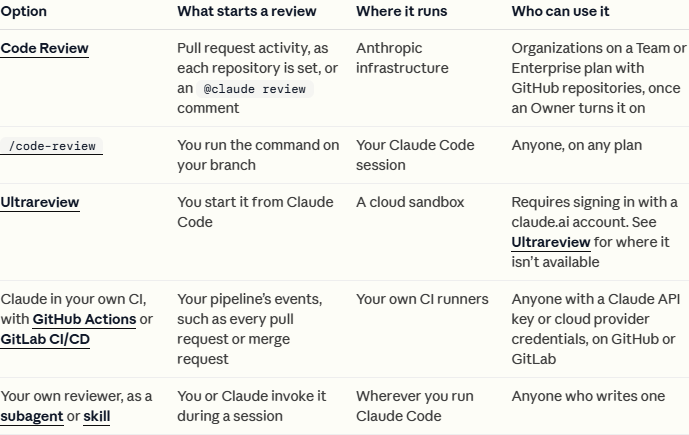
Choose the route before you start. The names are similar, but the trigger, location and billing are not.
Route | What starts it | Where it runs | Who can use it | Billing |
|---|---|---|---|---|
| A command at the Claude Code prompt | Your current Claude Code session | Any plan | Counts toward plan usage or API billing |
Managed Code Review | A pull request, or an | Anthropic infrastructure, connected to GitHub | Team and Enterprise | Usage credits billed to the organization |
Source: Anthropic's local and managed Code Review documentation, checked 30 October 2026.
Step 1: run /code-review on your branch
At the Claude Code prompt, enter:
```
/code-review
```
With no target, the command reviews the commits on your branch that are ahead of its upstream branch, plus uncommitted changes. If the branch has no upstream, Claude compares it with main or with the previous commit. The review runs as a background subagent with its own context window, and its findings return to your conversation.
The command looks for correctness bugs. Depending on the model and effort level, it may also flag opportunities to reuse code, simplify an implementation or improve efficiency. /review is an alias for the same command.
You should see: a background review start, followed by findings returned to the same conversation.
Step 2: point it at the right target and effort
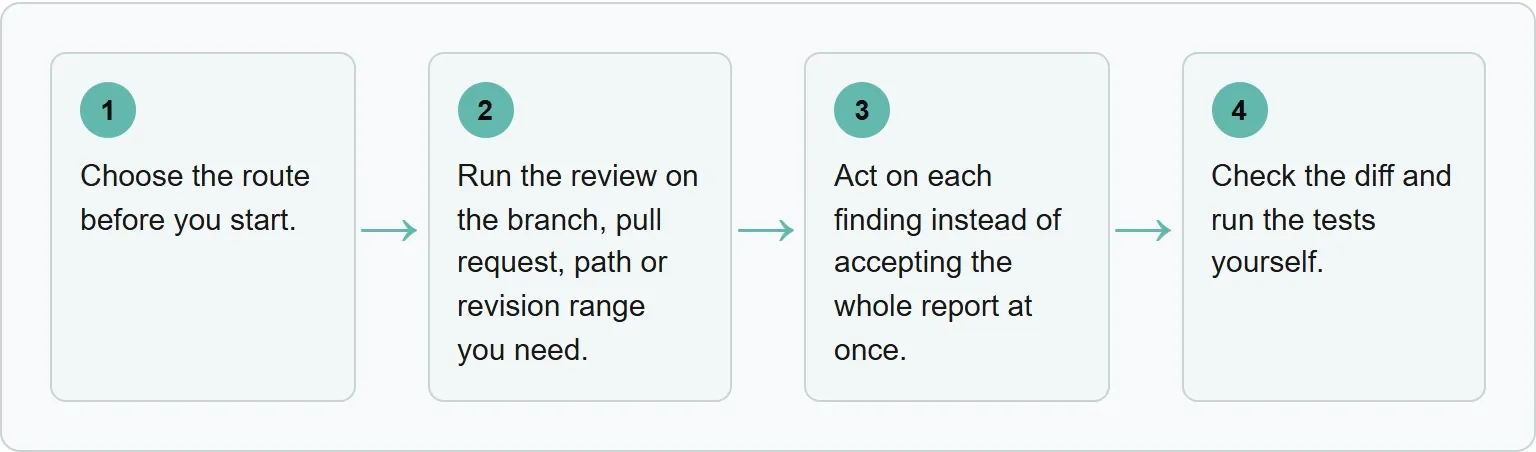
Run the review on the branch, pull request, path or revision range you need. Put the target after the command:
What you want reviewed | Command |
|---|---|
Pull request 1234 | |
Feature branch compared with main | |
The authentication directory | |
The last 15 commits | |
You can also set an effort level. At low, Claude reports the findings it is most confident about, which can reduce false positives. From medium through max, it widens the search. For example:
```
/code-review high
```
A wider review can take more usage. Start with the default for an ordinary branch, then raise the effort when the change is risky, broad or difficult to reason about.
You should see: the review name the target you selected before it reports findings.
Step 3: act on the findings
Act on each finding instead of accepting the whole report at once. Open the referenced file, read the surrounding code and decide whether the proposed change fits the program's actual behavior.
To ask Claude to apply accepted findings to your working tree, use:
```
/code-review --fix
```
The edits still go through your Claude Code permission mode. To post findings to a GitHub pull request as inline comments, use --comment with a pull request target:
```
/code-review --comment 1234
```
Review the resulting patch before you commit it. An automated fix can remove the reported symptom while introducing a different regression elsewhere.
Our example (illustrative).
The review flags a possible null access in loadUser(). Read the function and its callers first. If an earlier guard proves the value cannot be null, reject the finding and record that reason. If the value can be null after a failed lookup, accept it, run /code-review --fix, inspect the patch, then run the focused loadUser test and the wider test suite.
You should see: the finding marked fixed, skipped or no change needed after Claude handles it later in the session.
Step 4: check the result yourself
Check the diff and run the tests yourself. Confirm that the implementation matches the ticket, handles failure paths, keeps permissions intact and does not silently change an interface that another component depends on.
Managed Code Review on GitHub
Managed Code Review is the organization-level option for Team and Enterprise plans. After an owner enables it, Claude can review each pull request automatically. Someone with write access can also comment @claude review on a pull request to start a review.
- An organization Owner opens Admin settings and chooses Claude Code, then Code Review.
- Select Setup and install the Claude GitHub App for the GitHub organization.
- Choose the repositories that Code Review may access.
- Choose the review level and whether each repository runs once when a pull request opens, after every push, or only on request.
Anthropic describes four stages: finding issues, confirming them, ranking them and posting them. Several agents inspect the change and surrounding code for problems such as logic errors, security vulnerabilities and broken edge cases. Candidate findings are then checked and ranked before the strongest ones are posted.
Owners can choose Quick, Standard or Deep. Standard is the default. A more thorough level searches harder and costs more. Teams can also add repository-specific guidance in REVIEW.md. Code Review reads that file from the base or default branch, not from the pull request's changes, which prevents a pull request from changing its own review rules.
What a review can and cannot see
During a managed review, repository access is read-only and Claude does not push commits. It reads the diff and surrounding code, but it does not build or run the program. That boundary matters: a static reading can spot suspicious logic, yet it cannot observe a failing integration, a race under load or a dependency that behaves differently at runtime.
The local command can apply edits when you explicitly use --fix, but that does not turn the report into a test result. Use the review to focus attention, then use the repository's own build, test and security tools for evidence about behavior.
What Claude Code Review costs
Local command: The /code-review command has no separate product fee. It consumes your plan usage or API billing like the rest of the Claude Code session.
Managed service: Code Review has no flat price per review. Anthropic bills token usage through usage credits, separately from included plan usage, and charges the organization rather than the developer who opened the pull request. Review size, complexity and chosen level all affect the amount. Anthropic recommends a small pilot with a monthly spend limit before a wider rollout.
If a step fails
Work from the exact failure, not from a second review of the same unknown target.
- The command is not found: open
/release-notesto check your installed version and apply the offered Claude Code update before retrying./reviewbecame an alias of/code-reviewin version 2.1.223. - The wrong pull request or branch is reviewed: rerun the command with the explicit pull request number, branch, path or revision range. For example, use
/code-review 1234. --commentposts nothing: pair it with a GitHub pull request target. On GitLab, posting needs theglabCLI; without it, Claude prints the findings in the terminal instead.- A managed review never appears: check the pull request for a skip comment. Code Review names a budget cause there and links to the usage settings when remaining credits or a spend limit prevent the run.
What you still check yourself
A Claude review never approves or blocks a pull request. The merge decision stays with your team. Anthropic also warns that the service can miss bugs or vulnerabilities, and that a report with no findings does not mean the code is error-free or secure.
- Read the complete diff, not only the lines Claude mentions.
- Run unit, integration and end-to-end tests that exercise the changed path.
- Check authentication, authorization, input validation and secret handling.
- Confirm migrations, configuration changes and rollback steps.
- Ask whether the change matches the product requirement, not merely whether it compiles.
If the branch was generated with Claude, bring extra context to the review. A model may repeat the same mistaken assumption when it writes and reviews a change. A human who understands the system's intent remains the final reviewer.
For larger tasks, you can also divide investigation and review work with Claude Code subagents. If cost is the first question, see our guide to Claude Code plans and usage.
Where Xtrusio fits
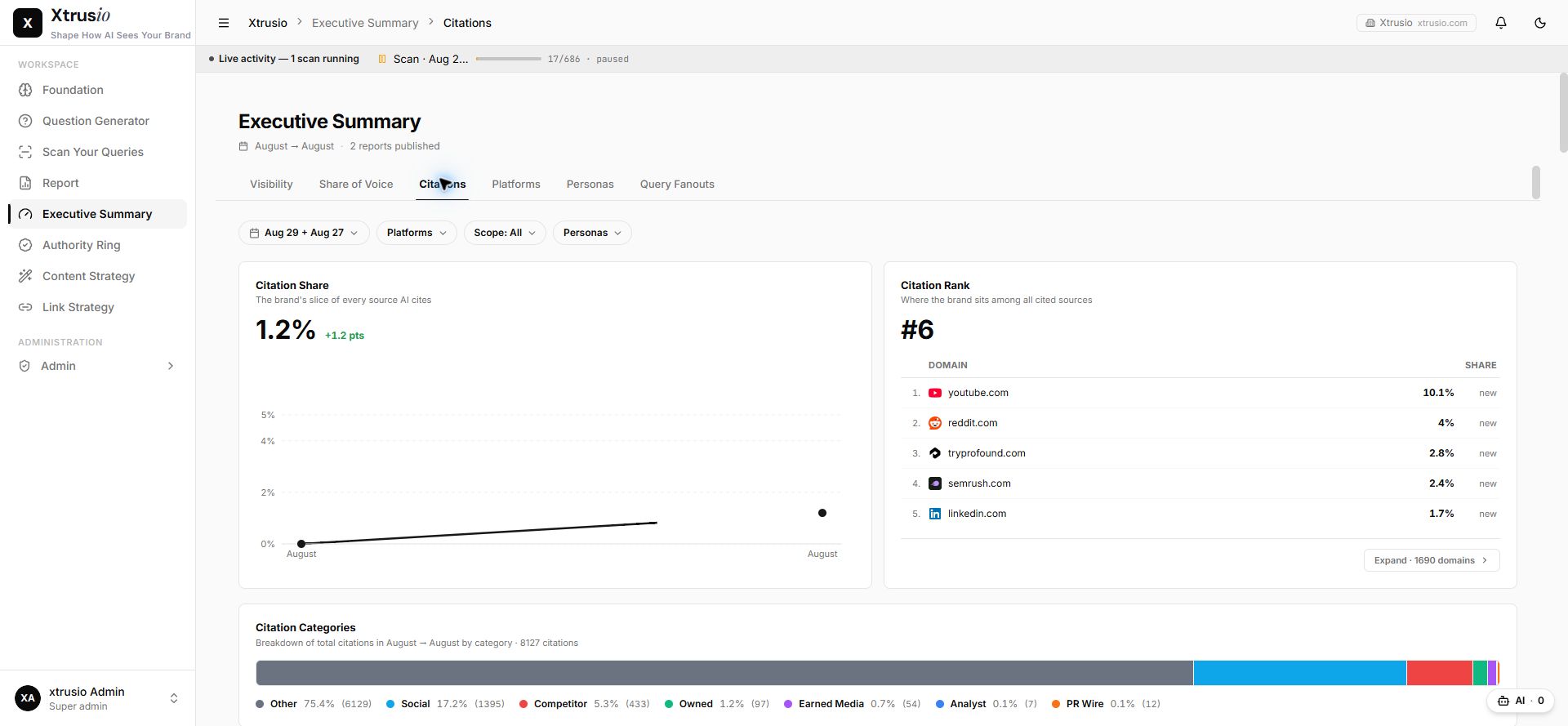
The same evidence habit matters when an AI engine describes your company. Xtrusio records each answer, citation and search before a person approves the content plan.
Try the free AI visibility check.
Sources
- Anthropic: Review locally with /code-review, checked 30 October 2026.
- Anthropic: Code Review, checked 30 October 2026.
- Anthropic: Code Review costs, checked 30 October 2026.
Frequently asked questions
Is Claude Code Review free?
The local /code-review command works on any plan, but it consumes plan usage or API billing. Managed Code Review uses organization usage credits and has no flat price per review.
Does Claude Code approve pull requests?
No. Managed Code Review never approves or blocks a pull request. Your team decides whether to merge it.
What is the difference between /review and /code-review?
There is no current difference. /review is an alias for /code-review.
Can Claude Code Review run tests?
Managed Code Review does not build or run your code. It reads the diff and surrounding code, so you still need to run the project's tests yourself.
Topics
- claude code review

Xtrusio
AI visibility research
Xtrusio is the Perception Engine for B2B brands.
Free check
See how AI engines answer about you
Get your free AI visibility check
Keep reading
 Technical SEO · Oct 30, 2026 · 7 min read
Claude Cowork Scheduled Tasks: How to Set Them Up
Set up Claude Cowork scheduled tasks, choose the right approval mode, test a recurring run, and fix local-file or cadence problems. Technical SEO · Oct 30, 2026 · 8 min read
llms-full.txt: How to Build and Maintain the Expanded File
Build llms-full.txt from public Markdown pages, preserve order, set a size budget, publish it and test for private or stale content. Technical SEO · Oct 30, 2026 · 5 min read