llms-full.txt: How to Build and Maintain the Expanded File
Short answer
An llms-full.txt is one plain-text file that combines the full Markdown of your public pages for AI tools. Each page block carries a title, source URL, description and the page content. Build it from public pages only, keep its order aligned with llms.txt, regenerate it when pages change, and test it for private or stale material.
The useful distinction is simple. llms.txt is the map. llms-full.txt is the collected content. A documentation team can use the smaller file to point to important pages and the larger file to offer those pages in one readable bundle.
What you will build
You need Node.js 22, a public llms.txt file and a deployment that can serve plain text. First check whether your documentation platform already generates llms-full.txt. Mintlify does, so its users may only need the tests below.
- A public
/llms-full.txtfile made from approved pages. - One repeatable page-block format.
- A build step that preserves order and excludes private content.
- A post-deploy test for freshness, links and accidental leaks.
llms.txt vs llms-full.txt
The llms.txt proposal describes a Markdown file that gives brief background, guidance and links to detailed Markdown pages. It can live at the site root or at another path, where it covers pages below that path.
Mintlify describes llms-full.txt differently. It combines the whole documentation site into one file as context for AI tools. Instead of linking out to each page, it carries each page's title, source URL, description and full Markdown.
File | Main job | Typical contents | Best use |
|---|---|---|---|
| Map the site | Background, guidance and links | Help a tool find the right page |
| Bundle the content | Title, source URL, description and full Markdown for each page | Give a tool one large context file |
Use both when the bundle is practical. Keep only llms.txt when the full file would be too large, too sensitive or too difficult to keep current. Neither file is a promise that a search engine or AI product will read, index or cite the content.
Where Xtrusio fits
The file packages the facts you publish. Xtrusio shows how ChatGPT and Gemini actually describe your brand, which sources they cite and which competitors appear instead.
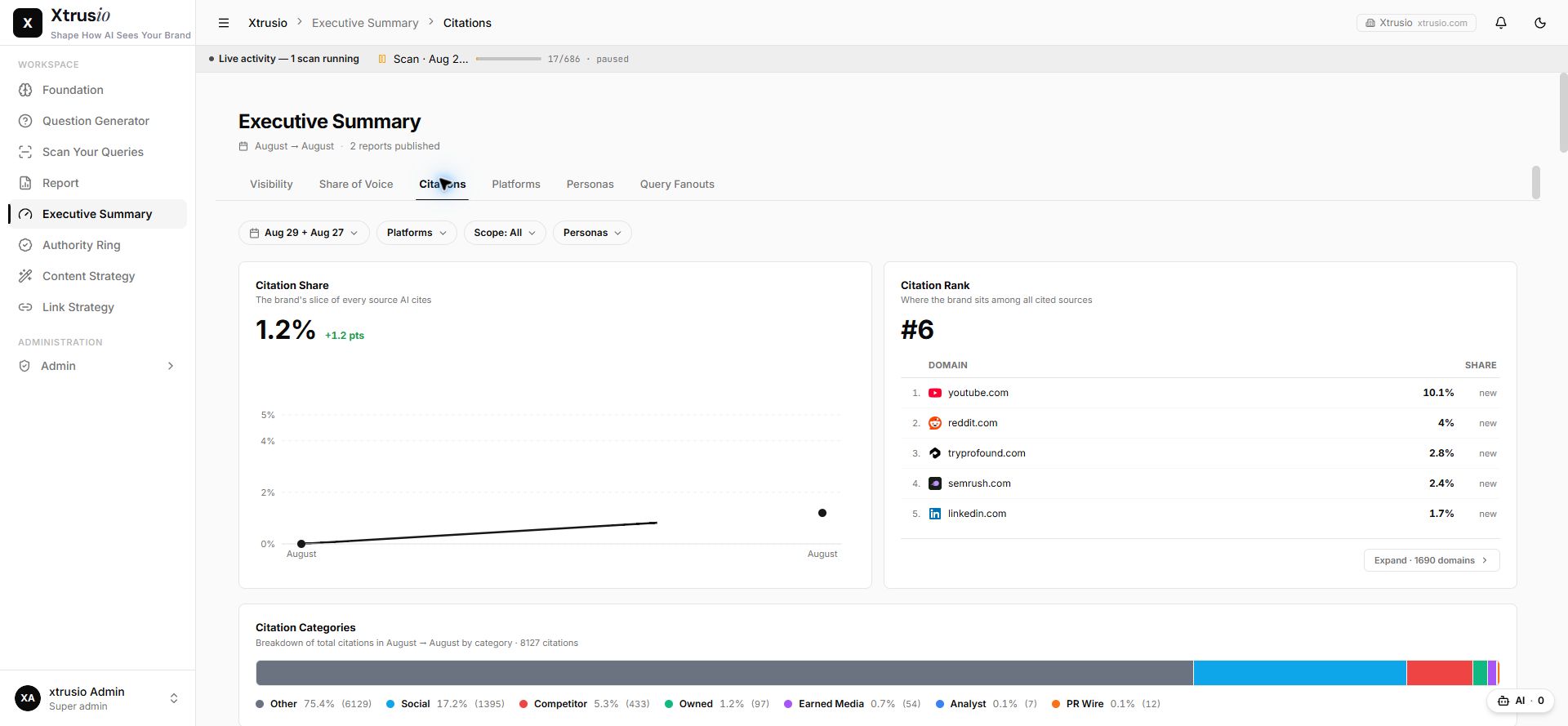
Use the file as one controlled content source. Then compare its wording with the answers buyers actually see.
Each page appears as its title, source URL, description, and full Markdown content.
Official wording from Mintlify, llms.txt documentation, 30 October 2026.
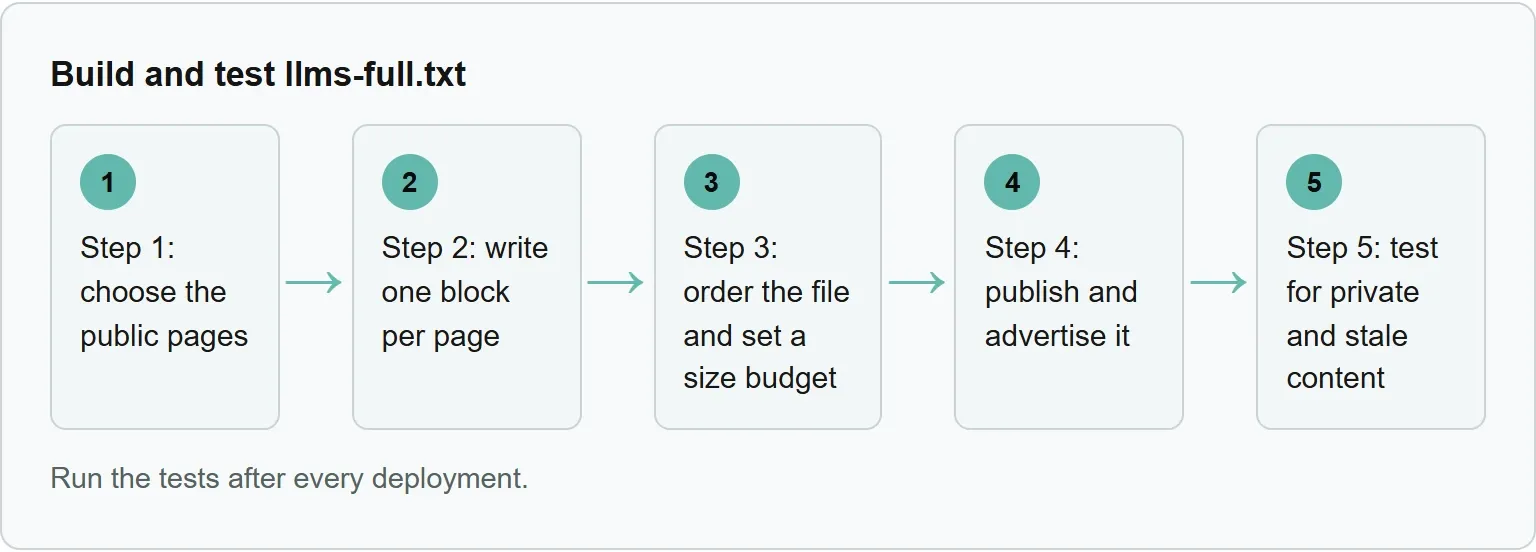
Step 1: choose the public pages
Start with the pages you would be comfortable showing to an unknown visitor. Product documentation, public guides and open reference pages are reasonable candidates. Account pages, unpublished drafts, internal runbooks and customer-only material are not.
Mintlify applies the same visibility rules to llms-full.txt as it does to Markdown page views. On a fully authenticated site, both llms.txt and llms-full.txt require authentication. An AI tool that cannot sign in cannot read them.
Fully authenticated sites: Both files require authentication. AI tools that cannot authenticate cannot access them.
Official wording from Mintlify, llms.txt documentation, 30 October 2026.
Make the selection rule explicit before writing a generator. A simple rule is: include a page only when it appears in the public navigation and its Markdown version returns successfully without a session. Keep an exclusion list for paths such as account, admin, drafts and internal.
You should see: one ordered list containing only public Markdown URLs.
Step 2: write one block per page
Use one predictable block for every page. The title helps a reader scan the bundle. The source URL preserves provenance. The description explains the page's job. The Markdown carries the complete public content.
Our example (illustrative).
```
# Reset an API key
Source: https://example.com/docs/reset-api-key
Learn how to replace an exposed API key and update the application safely.
Before you begin
Confirm that you can create and revoke keys for the project.
Rotate the key
Create the replacement, update the application, then revoke the old key.
```
The llms.txt proposal also suggests clean Markdown versions at the same URL with .md appended or replacing the existing extension. If those versions already exist, the generator can use them as its source. If not, convert your own structured page content rather than scraping rendered navigation and repeated footers.
A short build-script outline
Our example (illustrative).
```
import { mkdir, writeFile } from 'node:fs/promises';
import { dirname } from 'node:path';
const listUrl = process.argv[2];
const outFile = 'public/llms-full.txt';
if (!listUrl) throw new Error('Pass the public llms.txt URL');
const listResponse = await fetch(listUrl);
if (!listResponse.ok) throw new Error(llms.txt returned ${listResponse.status});
const list = await listResponse.text();
const pages = [...list.matchAll(/^- \[([^\]]+)\]\((https?:\/\/[^)]+)\):?\s(.)$/gm)]
.map(([, title, url, description]) => ({ title, url, description }));
if (!pages.length) throw new Error('No public Markdown links found');
const blocks = [];
for (const page of pages) {
const response = await fetch(page.url, { redirect: 'follow' });
if (!response.ok) throw new Error(${page.url} returned ${response.status});
const markdown = (await response.text()).trim();
if (!markdown) throw new Error(${page.url} returned an empty page);
blocks.push(# ${page.title}\nSource: ${page.url}\n\n${page.description}\n\n${markdown});
}
const output = ${blocks.join('\n\n')}\n;
await mkdir(dirname(outFile), { recursive: true });
await writeFile(outFile, output, 'utf8');
console.log(${outFile}: ${Buffer.byteLength(output)} bytes);
```
Save this as build-llms-full.mjs, then run node build-llms-full.mjs https://llmstxt.org/llms.txt. In our signed-out test on 30 October 2026, it fetched every linked Markdown page and created the output file.
You should see: the output path followed by its byte size.
Step 3: order the file and set a size budget
Keep the blocks in the same order as llms.txt. That makes the small map and the large bundle easier to compare. It also gives maintainers one place to decide which pages matter most.
Measure the current file, set the limit a little above that number, and fail the build when it grows past the limit. In our signed-out test on 30 October 2026, Mintlify's public llms-full.txt measured the exact byte size shown below. That is a real example, not a universal target.
```
node -e "fetch('https://www.mintlify.com/docs/llms-full.txt').then(r=>r.arrayBuffer()).then(b=>console.log(b.byteLength))"
# 1719635
```
When the bundle becomes unwieldy, remove low-value pages or publish separate files for major documentation areas. Keep the root llms.txt as the map. A smaller, current bundle is more useful than a giant file nobody can load reliably.
You should see: the measured byte size below your recorded build limit.
Step 4: publish and advertise it
Publish the finished file at /llms-full.txt when it covers the whole site. The llms.txt proposal also allows a file at another path when it covers the pages below that path.
Return plain text with a successful response. Do not send a login page, HTML error template or redirect loop. Mintlify also advertises llms.txt and llms-full.txt through an HTTP Link header.
```
Link: </llms.txt>; rel="llms-txt", </llms-full.txt>; rel="llms-full-txt"
```
If you already maintain a general llms.txt generation workflow, add the full file to the same deployment step. One build should update both files from the same approved page list.
```
curl -I https://www.mintlify.com/docs/llms-full.txt
# Expected: HTTP/2 200 and content-type: text/plain
```
You should see: an HTTP success status and a text/plain content type.
Step 5: test for private and stale content
Run the tests after every deployment. A successful response is only the start. The file must contain the intended public pages, current wording and working source URLs.
Check | Pass condition | Failure action |
|---|---|---|
Public only | No private, authenticated or excluded path appears | Block the release and remove the page |
Order | Blocks follow the approved llms.txt order | Rebuild from the same ordered list |
Size | The file stays within the team's recorded budget | Trim or split the bundle |
Freshness | A changed source page changes the corresponding block | Fix the build trigger or cache |
Links | Every source URL resolves without signing in | Correct or remove the broken page |
A practical freshness test stores a source-page revision or content hash beside each build record. Change one public sentence in a test page, deploy it, then confirm the same sentence appears in llms-full.txt. Revert the test sentence after the check.
Scan the generated file for private path fragments, email addresses, access tokens and words that mark drafts. Do not print a secret in the test output. Stop at the file name or matched rule, then repair the source list.
You should see: every source link resolves, the changed test sentence appears, and the private-content scan returns no matches.
A real llms-full.txt example
Mintlify's public llms-full.txt opens with the site title and description. The next page block includes a page heading and a source URL.
```
# Mintlify
Mintlify is a platform for building and hosting documentation websites. It provides a set of tools and services for maintaining documentation and making it accessible to AI agents.
# AI-native documentation
Source: https://www.mintlify.com/docs/ai-native
Learn how Mintlify's AI-native features, including the assistant, agent, llms.txt, and MCP server, improve reading, writing, and discovering your docs.
When you host your documentation on Mintlify, built-in AI features help your users find answers and your team maintain content more efficiently.
```
Example: Mintlify llms-full.txt, read signed out on 30 October 2026.
The file is large because it bundles many pages. Treat it as proof of the format, not a universal size target. Your file should reflect your own public pages, priorities and maintenance capacity.
Sources
Frequently asked questions
Do I need both llms.txt and llms-full.txt?
Not always. llms.txt is the smaller map of guidance and links. llms-full.txt is the larger bundle of page content. Use both when the bundle is public, current and practical to maintain.
How big should llms-full.txt be?
The cited format guides do not set a universal size. Choose a budget that the intended tools can load, record it in the build and split the file when it grows beyond that limit.
Does Google use llms-full.txt?
Do not assume that it does. The file is a proposed way to make content easier for AI tools to read, not a guarantee of indexing, ranking or citation.
How often should I regenerate the file?
Regenerate it whenever an included page changes. Run the private-content, freshness and link tests in the same deployment so the bundle cannot quietly drift behind the site.
Topics
- llms full txt

Xtrusio
AI visibility research
Xtrusio is the Perception Engine for B2B brands.
Free check
See how AI engines answer about you
Get your free AI visibility check
Keep reading
 Technical SEO · Oct 30, 2026 · 8 min read
Claude Code Review: How to Run It and What to Check
Run Claude Code Review on a branch, pull request or path, choose the right effort, act on findings, and complete the human checks AI cannot replace. Technical SEO · Oct 30, 2026 · 7 min read
Claude Cowork Scheduled Tasks: How to Set Them Up
Set up Claude Cowork scheduled tasks, choose the right approval mode, test a recurring run, and fix local-file or cadence problems. Technical SEO · Oct 30, 2026 · 5 min read