How to Update Claude Code: Commands for Every Install Method
Short answer
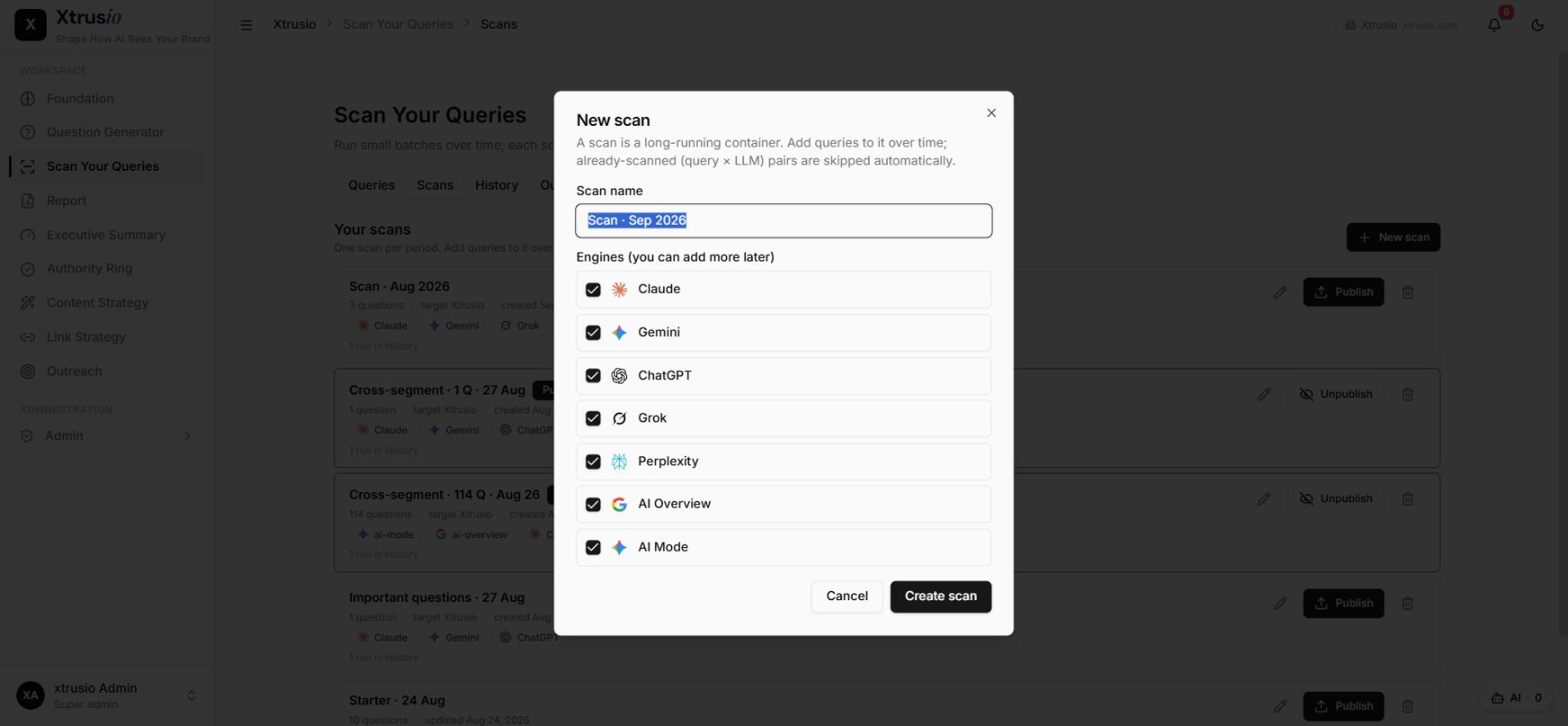
Run claude update to update a native Claude Code install immediately. Homebrew, WinGet, npm, apt, dnf and apk installs use their own upgrade commands. When it finishes, run claude --version and claude doctor. These commands confirm the version and check install health.
You open Claude Code and see that a newer model or fix is available. But the update command does nothing. The usual reason is simple. A package manager installed Claude Code, so the native updater does not own it.
Before you start
You need a terminal and the name of your Claude Code installer. At the end, you will have the current release, a version check and a clear update channel.
Step 1: find your install method
Start with claude doctor. Read the install health line and any launcher warning. Anthropic says this command prints read-only installation and settings diagnostics. It also reports a launcher that the native installer did not create.
On macOS or Linux, ask the shell which executable it will start:
```
which claude
```
On Windows, use:
```
where claude
```
The first path is the executable your shell will start. On macOS and Linux, the native installer manages ~/.local/bin/claude as a symlink into its versions directory.
If you already know that you installed with Homebrew, WinGet, npm, apt, dnf or apk, use that package manager's row below. Do not run a second installer over the top of it.
Update commands for every install method
Match the command to the installer that owns your current binary. The native updater cannot replace a package managed by Homebrew, WinGet, npm or a Linux repository.
Install method | Update command | Automatic updates | Channel |
|---|---|---|---|
Native installer | | Yes, in the background | |
Homebrew stable cask | | No, unless you opt in | Stable |
Homebrew latest cask | | No, unless you opt in | Latest |
WinGet | | No, unless you opt in | Package release |
npm | | Depends on directory permissions | Latest package |
apt | | No | Repository channel |
dnf | | No | Repository channel |
apk | | No | Repository channel |
The documented apk command does not include sudo.
Anthropic's setup guide says Homebrew, WinGet and Linux package manager installations require manual updates by default. The npm command should use @latest; Anthropic warns that npm update -g may stay inside the version range from the original install.
Step 2: run the matching update command
For a native installation, run:
```
claude update
```
When an update installs, Claude Code reports the old and new versions. If you are already current, it reports that Claude Code is up to date. Background updates take effect the next time you start Claude Code.
For Homebrew, WinGet, npm or Linux packages, copy the command from the table. Do not use sudo npm install -g. Anthropic warns that doing so can create permission and security problems.
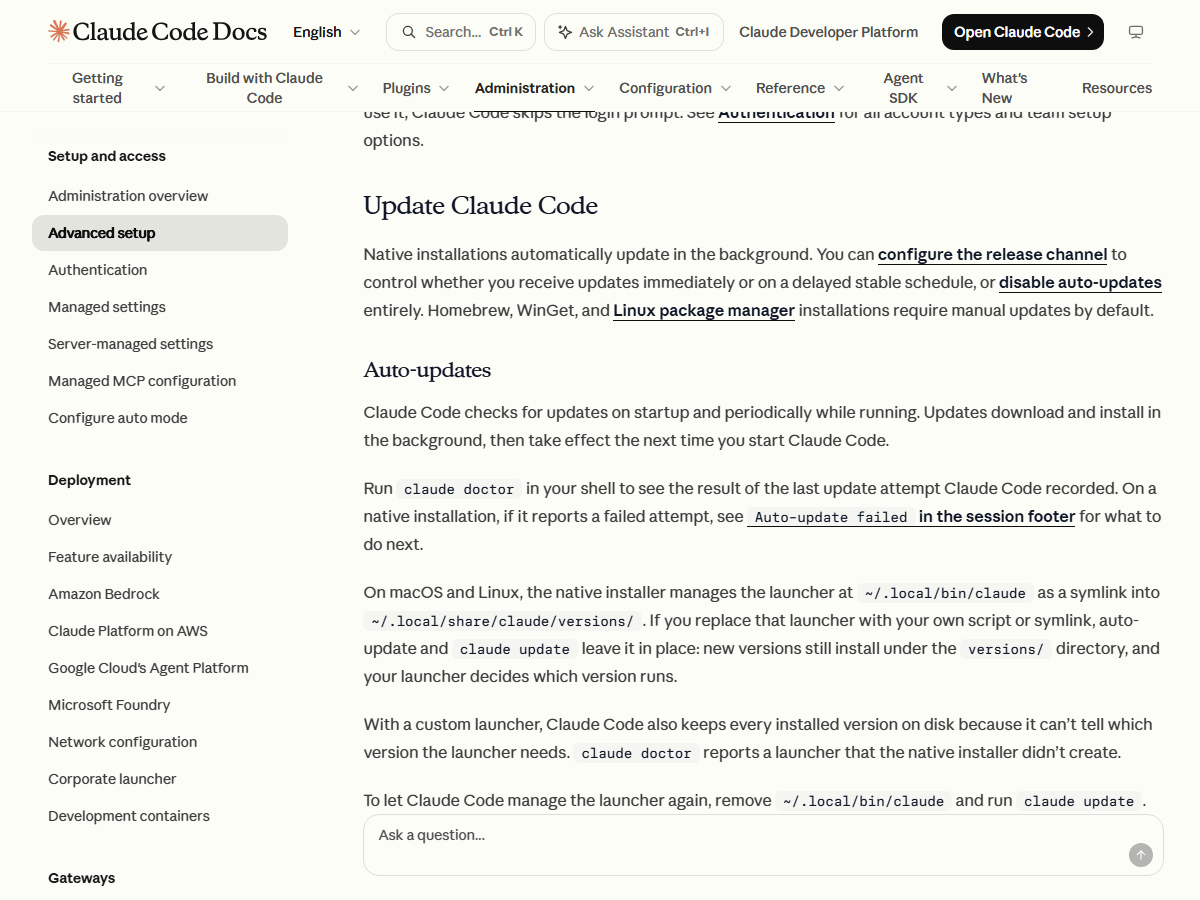
Once your tools are current, the next question is whether AI engines describe your product correctly. Xtrusio lets you choose buyer questions and supported AI engines for a visibility scan, then compare what those engines return.
Step 3: check that the update worked
Print the installed version:
```
claude --version
```
A working installation prints a version number. Then run the diagnostic check:
```
claude doctor
```
This second command checks install health and records the result of the last update attempt. If the version is unchanged, its diagnostics help separate an updater problem from a package-manager problem.
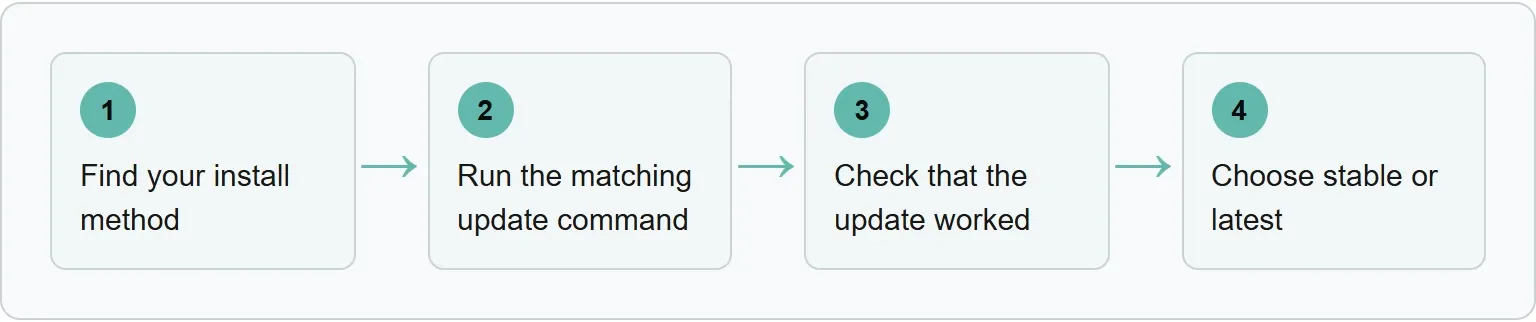
The four steps in order
Use the same sequence every time so you do not switch installers by accident.
Step 4: choose stable or latest
The native updater supports two channels. latest is the default and receives new features as they ship. stable is typically about a week behind and skips releases with major regressions. Choose the channel through /config or in settings.json:
```
{
"autoUpdatesChannel": "stable"
}
```
Homebrew selects the channel by cask name instead. The claude-code cask follows stable, while claude-code@latest follows latest. Linux repositories also choose a channel through the repository URL.
Install or roll back a specific version
The native installer accepts a version number as well as latest or stable. Anthropic's documentation gives this example for version 2.1.89:
```
curl -fsSL https://claude.ai/install.sh | bash -s 2.1.89
```
After installing a specific version, run claude --version again. Pinning is useful when a team needs the same release or when you need to step back from a regression.
Turn automatic updates off or on
To stop only the native background check, place this setting in the env key of settings.json:
```
{
"env": {
"DISABLE_AUTOUPDATER": "1"
}
}
```
This does not block manual claude update or claude install. Anthropic says DISABLE_UPDATES blocks all update paths.
Homebrew and WinGet users can let Claude Code run their package upgrade command in the background:
```
{
"env": {
"CLAUDE_CODE_PACKAGE_MANAGER_AUTO_UPDATE": "1"
}
}
```
apt, dnf and apk still need a manual upgrade because their commands require elevated privileges.
If the update fails
Start with the symptom you can see, then check the installer before changing permissions or adding another copy.
- The version did not change: run
claude doctorand confirm which installer owns the current binary. - npm shows a permission problem: do not retry with
sudo. Use the fixes listed byclaude doctoror correct the global npm directory permissions. - WinGet cannot replace the file: close Claude Code and run
winget upgrade Anthropic.ClaudeCodeagain. Windows can lock the executable while it is running. - A package release is not available yet: Anthropic notes that update notices can arrive before Homebrew, WinGet or Linux repositories receive the package. Wait and retry.
Frequently asked questions
What is the fastest way to update Claude Code?
For a native installation, run claude update. For package-manager installations, use the matching command in the table.
How do I know which Claude Code version is installed?
Run claude --version. A working installation prints its version number.
Does Claude Code update automatically?
Native installations update in the background by default. Homebrew, WinGet, apt, dnf and apk installations need manual updates unless you enable the supported Homebrew or WinGet opt-in.
Should I use the stable or latest channel?
Use stable when you prefer a delayed release that skips major regressions. Use latest when you need new features as soon as they ship.
Can I roll back Claude Code?
Yes. The native installer accepts a specific version number. After installing it, confirm the result with claude --version.
Topics
- how to update claude code
- claude code update

Xtrusio
AI visibility research
Xtrusio is the Perception Engine for B2B brands.
Free check
See how AI engines answer about you
Get your free AI visibility check
Keep reading
 Technical SEO · Oct 29, 2026 · 8 min read
Claude Code Hooks: How to Set Them Up, With Working Examples
Set up Claude Code hooks with working notification, formatter and protected-file examples, then verify them with /hooks and fix common failures. Technical SEO · Oct 29, 2026 · 7 min read
OAI-SearchBot: What It Does and How to Check ChatGPT Search Can Reach Your Site
Learn what OAI-SearchBot does and check robots.txt, HTTP status, firewall rules and OpenAI's published IP ranges for ChatGPT search access. Technical SEO · Oct 26, 2026 · 6 min read