GPTBot: what OpenAI's crawler does, how to verify it, and how to allow or block it
Short answer
GPTBot is OpenAI's training crawler. Check a request by matching its original visitor address to OpenAI's current list, then allow or disallow GPTBot in robots.txt.

A crawler is an automated visitor that collects pages. Training here means using page material to help build an AI model. You will finish with an address result and a proposed GPTBot rule.
What GPTBot does
GPTBot collects pages for possible AI model training. OpenAI says disallowing it indicates that the site's content should not be used for that purpose.
That choice is separate from OpenAI search. OAI-SearchBot is OpenAI's search crawler. OpenAI documents independent controls for the training crawler and the search crawler.
Source: OpenAI bot documentation.
Step 1: find the original visitor address
Open the request record in your hosting service. Record the time, requested page, complete user-agent and the value labeled Client IP, Visitor IP or Remote address.
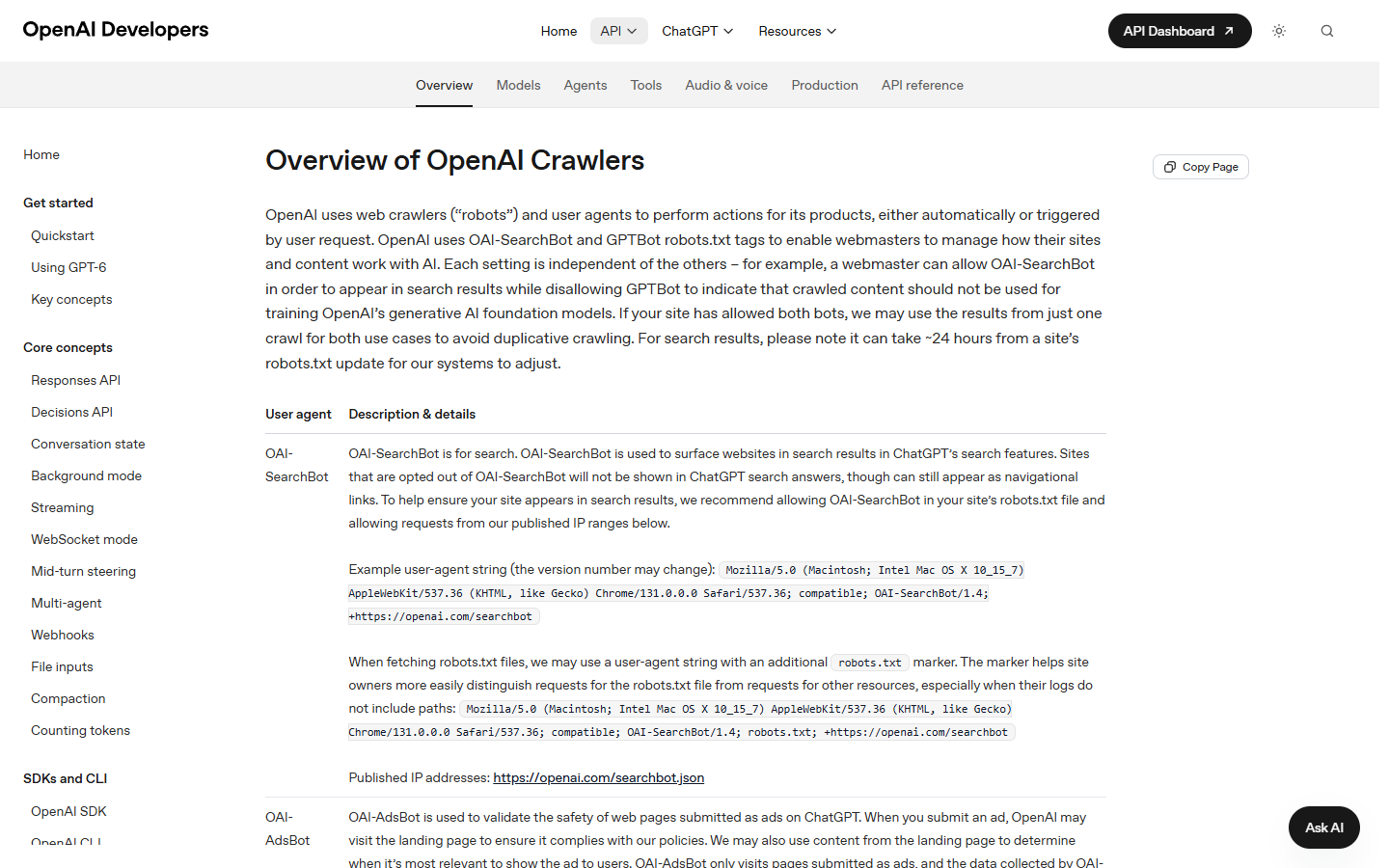
OpenAI lists a GPTBot/1.4 example and says the version number may change. Match the GPTBot product name rather than requiring that exact version. Treat the name as a clue, not the complete sender check.
Use the visitor address stored by your hosting service. Do not copy a value from a request header that the visitor supplied. If the hosting record gives no visitor address, record ADDRESS UNAVAILABLE and leave the sender unnamed.
This result still completes the address check. Continue to the robots choice, which does not depend on the request address.
You should now see a short record such as: time | page | GPTBot user-agent | original address.
Source: Cloudflare HTTP headers.
Step 2: compare the address with OpenAI's current list
OpenAI publishes blocks of GPTBot addresses in its current GPTBot address file. The table below reflects the file created on 22 September 2026 and turns its entries into ordinary number ranges.
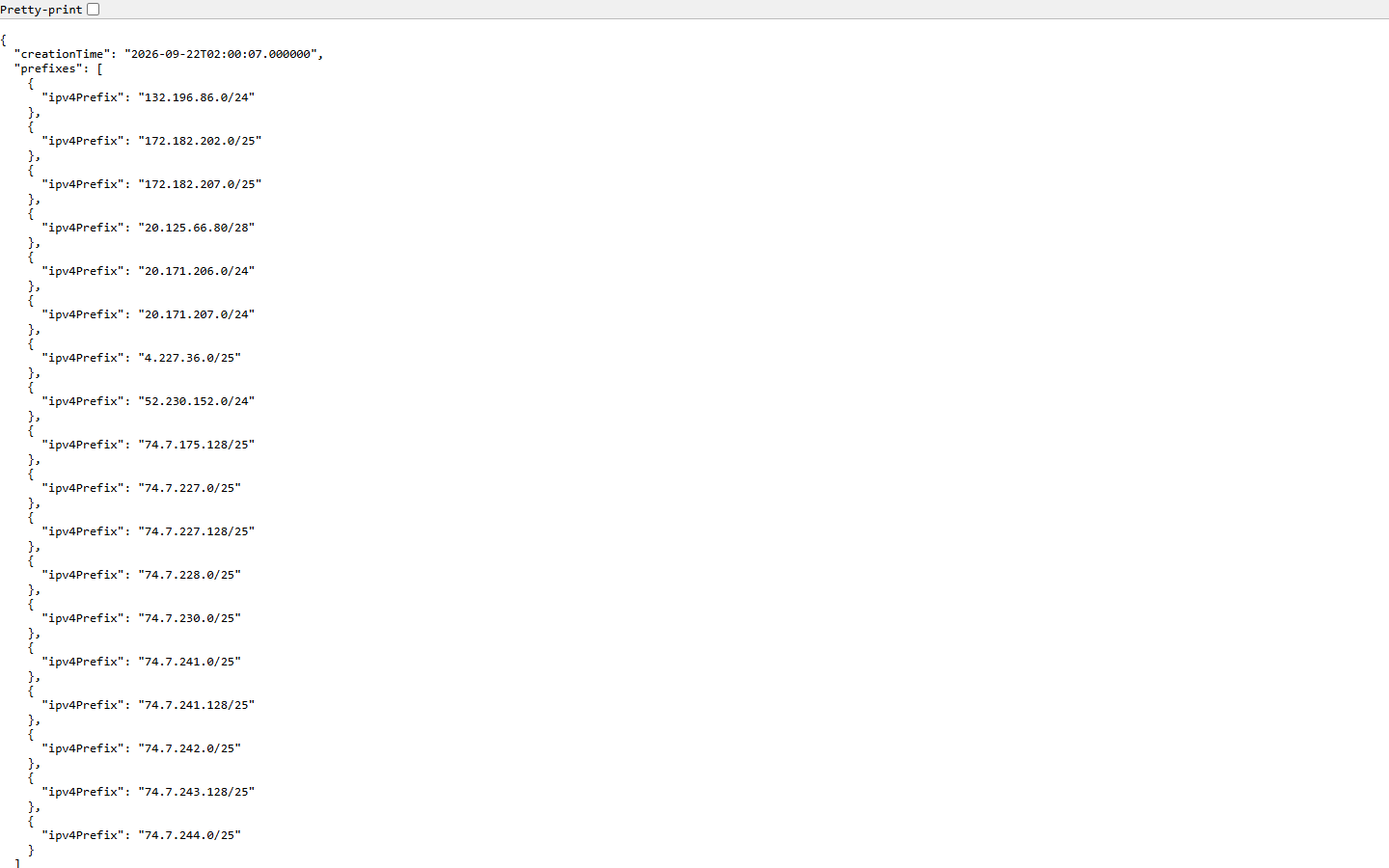
Split the visitor address at each dot. Compare its first three numbers with the left column. If those match, check whether its final number falls inside the stated interval.
```
132.196.86 final number 0 to 255
172.182.202 final number 0 to 127
172.182.207 final number 0 to 127
20.125.66 final number 80 to 95
20.171.206 final number 0 to 255
20.171.207 final number 0 to 255
4.227.36 final number 0 to 127
52.230.152 final number 0 to 255
74.7.175 final number 128 to 255
74.7.227 final number 0 to 127
74.7.227 final number 128 to 255
74.7.228 final number 0 to 127
74.7.230 final number 0 to 127
74.7.241 final number 0 to 127
74.7.241 final number 128 to 255
74.7.242 final number 0 to 127
74.7.243 final number 128 to 255
74.7.244 final number 0 to 127
```
Result | Record | Next action |
|---|---|---|
MATCH | The address and matching line | Continue to the robots decision. |
NO MATCH | No match against the current published list | Recheck the original address and current file. Leave the sender unresolved if it still does not match. |
ADDRESS UNAVAILABLE | The hosting record showed no visitor address | Leave the sender unnamed and continue to the robots decision. |
Treat a no-match result as unresolved. Recheck the original address and the current file before deciding what sent the request.
You should now have a dated address result beside the request record.
Sources: OpenAI bot documentation and OpenAI GPTBot address file.
Step 3: choose one GPTBot policy
Open your current robots.txt as text. Find every group beginning with User-agent: GPTBot and keep them together. The IETF crawler-rule standard says rules from multiple groups that match the same crawler must be combined. IETF is the standards body that publishes this rule.
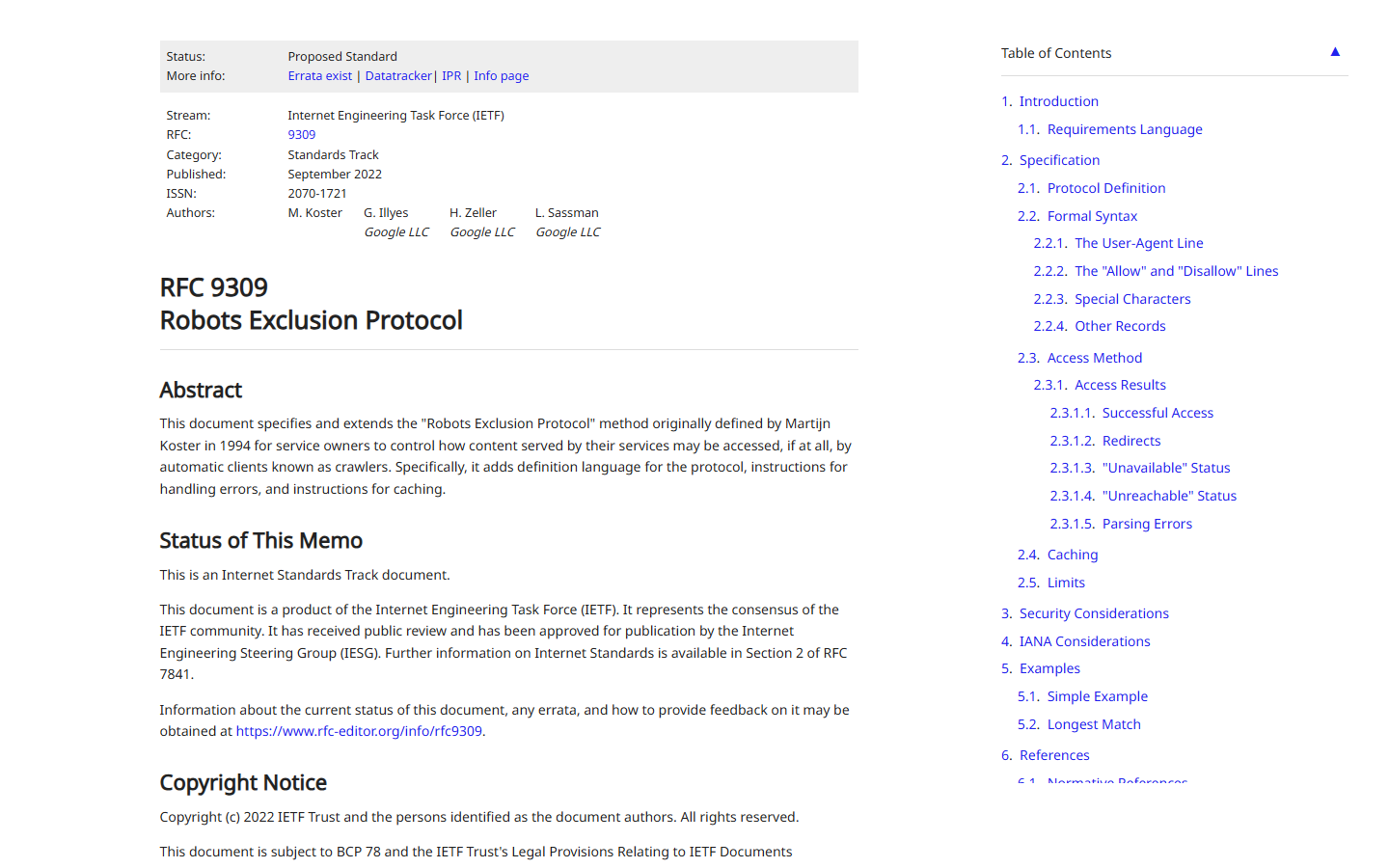
Choose the policy that matches the owner's decision. These are proposals for the site owner, not changes made by this guide.
Decision | Proposed GPTBot group | Meaning |
|---|---|---|
Allow all public paths | | GPTBot may crawl public paths unless a more specific matching rule says otherwise. |
Block the whole site | | The site indicates that its content should not be used for OpenAI model training. |
Allow public pages but protect one path | | The more specific protected path remains disallowed. |
Do not forget duplicate groups. If one GPTBot group disallows /drafts/ and another disallows /accounts/, both restrictions apply. Put the intended rules in one readable proposal so the owner can review them together.
The wildcard group, written as User-agent: *, is the catch-all group. It applies only when there is no matching named group. Within the rules that do match, the most specific path wins. For example, /research-private/ is more specific than /.
Send the proposed text to the person authorized to change the site. After that person applies it, open https://your-domain.example/robots.txt and compare the public text with the approved proposal. Keep the earlier version so the owner can restore it if needed.
Robots.txt is a crawler instruction, not access permission. Keep login and network protections on material that must remain private.
You should now see the approved GPTBot group in the public file, or have a clear owner task if it has not been applied.
Source: https://www.rfc-editor.org/rfc/rfc9309.html.
Common errors and fixes
Use the result you actually have rather than filling a gap with a guess.
What you see | Fix |
|---|---|
The log shows only a forwarding service's address | Record ADDRESS UNAVAILABLE and continue to the robots choice. |
The address contains colons | This is the newer address format, which uses colons instead of dots. The current OpenAI file lists only dotted blocks, so record no match and keep the address unchanged. |
The list request fails | Check the connection and rerun later. Do not reuse a saved list as if it were current. |
The address does not match | Confirm the source field, fetch the current file again and leave identity unresolved if there is still no match. |
Two GPTBot groups disagree | Combine every matching rule, then apply the most specific matching path. |
The public robots.txt differs from the approved text | Stop and ask the site owner to correct the public file. |
How to read the finished record
A complete record says which request you checked, which visitor address you used, whether it matched the current OpenAI list, which line matched when applicable, and which GPTBot policy the owner selected.
That record answers two separate questions. The address result compares one request with OpenAI's current list. The robots rule records the site's choice about model training.
If the next task is to learn whether AI systems can retrieve a page, keep the request result separate from the robots decision. Xtrusio is software for tracking how brands appear in AI answers. Its page-visit troubleshooting guide covers that broader investigation.
Sources
Primary and official references used for this guide.
- OpenAI bot documentation
- OpenAI GPTBot address file
- IETF robots.txt standard
- IETF address-block notation
- Cloudflare request-header reference
- Xtrusio AI crawler access diagnostics
Last checked: October 25, 2026.
Frequently asked questions
Does blocking GPTBot also block ChatGPT search?
No, blocking GPTBot does not automatically block the search feature in ChatGPT. OpenAI documents GPTBot and OAI-SearchBot, its search crawler, as separate controls. Review the rule that matches each bot.
Does robots.txt keep private pages secure?
No, robots.txt does not keep private pages secure. Robots.txt is not access authorization. Use login, authorization and network controls for private material.
What if GPTBot appears twice in robots.txt?
Combine the rules from every matching GPTBot group, then use the most specific matching path.
Topics
- gptbot

Xtrusio
AI visibility research
Xtrusio is the Perception Engine for B2B brands.
Free check
See how AI engines answer about you
Get your free AI visibility check
Keep reading
 Technical SEO · Oct 26, 2026 · 8 min read
ClaudeBot: how to verify its requests and choose your crawl policy
Check ClaudeBot request IPs, distinguish training from search crawlers, and choose robots.txt rules without overlooking proxy addresses or wildcard blocks. SEO Tools · Oct 26, 2026 · 7 min read
BrightEdge vs Conductor: compare scope, evidence and total cost
Compare BrightEdge and Conductor by published scope, a matched demo and total quoted cost. Includes current plan allowances and a buying worksheet. Guides · Oct 25, 2026 · 8 min read