How to Get Your Products Listed and Recommended in ChatGPT (2026 Guide)
Short answer
To get products listed in ChatGPT, first check how your catalog reaches it: OpenAI says Shopify and Etsy catalogs are already integrated, and other merchants can apply to share a product feed. Then keep your product pages open to OpenAI's search crawler, keep prices and stock accurate, and earn the reviews and comparison pages ChatGPT reads before it recommends anything. A feed makes your products eligible; what the web says about them decides whether they are recommended. Xtrusio shows whether ChatGPT and six other AI engines name and cite your products for real buyer questions, plans the content and placements that change the answer, and proves when an engine cites your page.
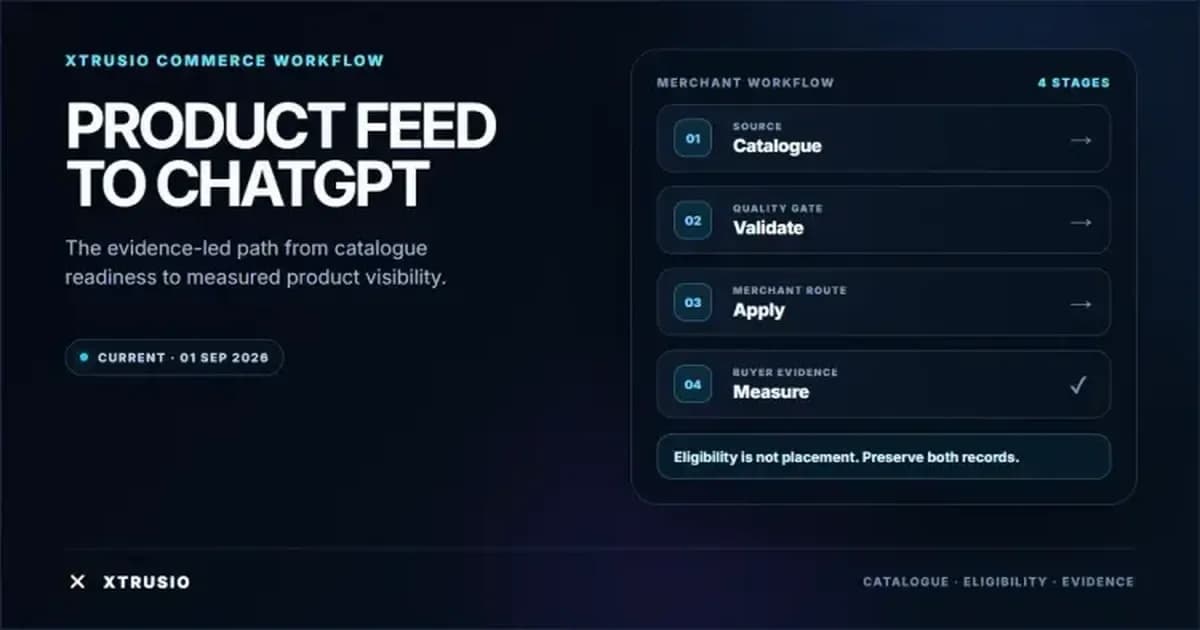
Two ways into ChatGPT: the catalog and the conversation
- The catalog. Product data from an integrated store or an approved feed tells ChatGPT what you sell, at what price, and whether it is in stock.
- The conversation. When someone asks "what is the best ceramic mug under $30?", ChatGPT often searches the web before it answers. The products it names come from the pages it finds: your product pages, review sites, "best of" roundups, comparison pages, Reddit threads and YouTube reviews.
The catalog gets you on the shelf. The conversation decides whether ChatGPT points at you. The steps below cover both.
Step 1: Pick the right catalog route
OpenAI's merchant page, checked September 28, 2026, says Shopify and Etsy catalogs are already integrated, so those merchants need no separate application for catalog inclusion. Other merchants can apply there to share a product feed. The onboarding guide says direct-feed onboarding is currently open to approved partners, so applying does not mean you are accepted.
- On Shopify or Etsy: check that each product, variant, price and stock level is correct in your store, because that is the data ChatGPT receives.
- Need a direct feed: apply through the merchant page and wait for approval and your confirmed feed format before you build the export.
The merchant page describes shopping in ChatGPT as available in the US. It also says OpenAI is moving away from a standalone Instant Checkout experience and putting merchant-owned checkout first, so confirm what your integration supports before you promise a checkout flow.
Step 2: Build the feed in the format you were approved for
Some guides say a ChatGPT feed needs nine fields and others say eight. Both are right: they describe different formats. OpenAI's Stable product specification lists nine required fields for its native format. The Google-compatible route has eight required columns.
Product information | Native OpenAI field | Google-compatible column |
|---|---|---|
Stable item or variant ID | item_id | id |
Product title | title | title |
Factual description | description | description |
Product page | url | link |
Brand | brand | brand |
Seller of the offer | seller_name | No equivalent in the eight core columns |
Main image | image_url | image_link |
Stock state | availability | availability |
Price and currency | price | price |
Do not mix rules between the two. The native format accepts an explicit "unknown" stock value, for example, and the Google-compatible route does not. Use the Stable specification for file uploads; the Draft schema is for planning and feedback. Variants need their own stable IDs and details such as color and size.
Step 3: Submit, test small and keep it fresh
- Choose a delivery method. The onboarding guide supports file upload or API delivery. A small catalog can use the API for the first feed and later updates.
- Keep IDs stable when price, stock or images change, and link each record to the exact product or variant page.
- Check records against the live page. A row can pass a schema check and still list the wrong size, color or seller. Keep titles and descriptions factual.
- Start with a sample. OpenAI's file-upload guide recommends starting with around 100 items.
- Send the full catalog on a schedule. For SFTP, the guide treats the full catalog as the source of truth and recommends updates at least daily, with API updates during the day when price or stock changes.
- Know how removals work. Leaving an item out of the file does not remove it at once: the file guide describes retention for up to 14 days.
Step 4: Keep product pages open to ChatGPT search
OpenAI's ChatGPT Search help explains how to allow OAI-SearchBot, its search crawler, and says access does not guarantee inclusion or top placement. Check your robots.txt and any bot protection so the crawler can reach your product pages.
Then state the price, stock, seller, materials, sizes and shipping in plain text on each page. OpenAI's shopping guidance notes that ChatGPT can simplify product descriptions and that displayed prices can lag behind merchant updates, so a clear, current page is your best protection against a wrong answer. It also says product results are selected independently and are separate from ads, so ads do not buy an organic recommendation.
Step 5: Earn the reviews and comparison pages ChatGPT reads
This step decides recommendations, and most product guides skip it. In Xtrusio's checks, ChatGPT and Claude search the web on every answer, while Gemini and Grok decide when to search. The pages they find are rarely only yours.
- Get into the roundups. Find the "best X for Y" articles that rank for your category and pitch the authors with samples, specs and customer results.
- Publish honest comparison pages that set your product beside the alternatives with clear facts and prices.
- Answer buyer questions on your blog, such as "which mug keeps coffee hot longest?", and link to the product.
- Show up where people talk. Encourage genuine customer reviews, Reddit discussion and YouTube reviews. Never fake them.
- Keep facts consistent across your site, your feed and third-party pages, so engines describe you correctly.
For more on what helps brands get named in answers, see how to rank on ChatGPT.
How Xtrusio gets your products named and cited
A feed tells ChatGPT what you sell. Xtrusio works on the conversation: whether the engines name your products when buyers ask, and which pages they cite.
It asks the questions your buyers ask. Xtrusio puts them to ChatGPT, Claude, Gemini, Perplexity, Grok, Google AI Overviews and Google AI Mode, and keeps every full answer, every brand named and every page cited. You see visibility, share of voice, sentiment, average position and citations by engine, topic and buyer persona.
It plans from what AI actually searches. Xtrusio records the searches ChatGPT, Claude, Gemini and Grok run and the sites they cite, then drafts a content plan for each buyer question with the right channel for each piece: your blog, LinkedIn, Medium, Reddit, YouTube, guest posts or PR. You approve the plan.
It does the work. Xtrusio writes and scores articles such as buying guides and comparison pages, checks every link before approval, and publishes to your blog where it is connected. It drafts LinkedIn posts, YouTube scripts, Medium essays and press releases from each article.
It tracks every placement. Link Strategy follows each guest post, PR placement and published piece through to its live URL and shows whether an engine cites the live URL for the question it targets.
It proves the result. A page counts as a win only when an engine's answer to the question it targets cites that exact URL in a later scan. Xtrusio also connects to Google Search Console and flags pages losing position, demand or freshness, with the reason in plain words.
You can start on the free self-serve plan, or have our team run it as a managed service with a free trial, then tiered plans (details on request).
How will you know it worked?
Feed acceptance tells you the data arrived. The answer a shopper gets tells you what they saw. Test both:
- Fix a question set. Pick 20 questions your buyers really ask, such as "best ceramic mug under $30 from a US store."
- Record a before. Save each full answer, the products named, their position and the pages cited.
- Check accuracy, not just presence. On September 28, 2026, we asked ChatGPT for ceramic mugs under $30. It named a Seven20 Doctor Who mug at $14.99 with Target as the seller, but the cited Target page said "Sold & shipped by Toynk." Open the cited page and compare price, variant and seller.
- Ask again after each change (a catalog fix, a new comparison page, a new review placement) and compare only matching questions.
- Count the citation. It worked when an engine names your product and cites your page or the placement you earned.
Xtrusio runs this before-and-after on the same questions for you. To check one exact URL in later AI answers, see the exact-page citation tracking guide.
See how Xtrusio works and find out which products ChatGPT names for your buyers' questions.
Frequently asked questions
Can any merchant submit a product feed to ChatGPT?
Any merchant can apply through OpenAI's merchant page, but OpenAI's onboarding guide says direct-feed onboarding is currently for approved partners. Shopify and Etsy catalogs are already integrated and need no separate application.
What fields does a ChatGPT product feed need?
The native OpenAI format requires nine: item_id, title, description, url, brand, seller_name, image_url, availability and price. The Google-compatible route requires eight: id, title, description, link, image_link, availability, price and brand.
Does a product feed guarantee ChatGPT will show my products?
No. OpenAI describes product results as selected for relevance and context. A feed keeps your catalog accurate and current, but the engine decides what to show.
How do I get ChatGPT to recommend my products, not just list them?
Earn the pages ChatGPT reads before it answers: reviews, roundups, comparison pages, Reddit threads and YouTube reviews, plus clear product pages of your own. Xtrusio shows which pages the engines cite for your buyers' questions, plans the content and placements to get you named, and proves when an answer cites your exact page.
Topics
- get products listed on ChatGPT
- ChatGPT product feed
- OpenAI merchant feed
- ChatGPT shopping visibility
- product listing optimization

Xtrusio
AI visibility research
Xtrusio is the Perception Engine for B2B brands.
Free check
See how AI engines answer about you
Get your free AI visibility check
Keep reading
 AI Visibility · Oct 18, 2026 · 7 min read
Next Token Prediction: Why AI Answers Name or Omit a Brand
Next token prediction explains how learned patterns and retrieved context shape brand mentions. Use an anonymized scan example to choose the next action. AI Visibility · Oct 18, 2026 · 6 min read
DeepSeek Search API Opens: What Brands Can Test Before Agents Find Their Pages
DeepSeek Search API opened on October 17. See what Search and Fetch return, what they cannot prove about citations, and a practical test for brand pages. AI Visibility · Oct 18, 2026 · 9 min read