Claude Cowork vs ChatGPT Work: Which Fits Your Tasks
Short answer
Neither wins outright: both run long tasks in the cloud, repeat work on a schedule and, through their desktop apps, reach local files and apps with your permission. If you pay for neither, our view is to try ChatGPT Work first: DataCamp says the Free plan has limited desktop use, while Cowork needs a paid Claude plan. ChatGPT Plus and Claude Pro each cost $20 a month when billed monthly. Prices checked 30 October 2026.

Pick Claude Cowork if you already pay for Claude, work on Linux, or want Claude limited to folders you connect. Pick ChatGPT Work if you already pay for ChatGPT or want tasks started by an event such as a Slack message. ChatGPT agent is retired and Work replaces it.
An operations lead may want one agent to sort files, build a weekly report and click through a desktop app. Cowork gives that lead a clear connected-folder boundary, while Work can start a cloud task from an event such as a Slack message. On Windows, Computer Use takes over the foreground, so it is not the right choice when the lead needs to keep using that screen. The useful comparison is the job, access boundary and platform, not the product name alone.
Claude Cowork vs ChatGPT Work at a glance
The table below uses the vendors' current documentation, checked on 30 October 2026. Where a source does not publish a detail, the table says so.
Prices checked 30 October 2026.
Question | Claude Cowork | ChatGPT Work |
|---|---|---|
Where does the work run? | In an isolated cloud environment on Anthropic's servers. | Work handles long tasks in the cloud. Local chats can run on your computer. |
Local files | Reads and writes only in folders you connect. | Can use local files through the desktop app with your permission. |
Desktop apps | Local file, browser and computer use need Claude Desktop open and connected. | Computer Use asks before using an app. On Windows it controls the pointer, typing and foreground during the task. |
Approvals | Manual mode pauses for Allow or Deny. Permanent file deletion also requires explicit permission. | Asks before it uses an app, with an optional Always allow choice. |
Scheduled work | Scheduled tasks run in the cloud without a device online. | Tasks can run once, repeat on a schedule or trigger, or monitor for changes. |
Desktop platforms | macOS, Windows and Linux in beta. | Computer Use is available on macOS and Windows in supported regions. |
Plans | Pro, Max, Team and Enterprise. | Web and mobile are on eligible paid plans. The desktop app depends on the plan and workspace. |
Starting price | Claude Pro is $20 a month when billed monthly. | ChatGPT Plus is $20 a month, billed monthly. DataCamp says Free and Go have limited desktop use. |
Sources: Anthropic's Cowork guide, OpenAI's Work guide, OpenAI's Computer Use guide, and OpenAI's pricing page, checked 30 October 2026. The Free and Go line is credited to DataCamp.
Where Xtrusio fits
Cowork and Work can prepare recurring research. Xtrusio shows when ChatGPT and Gemini mention your brand and which competitors appear instead.
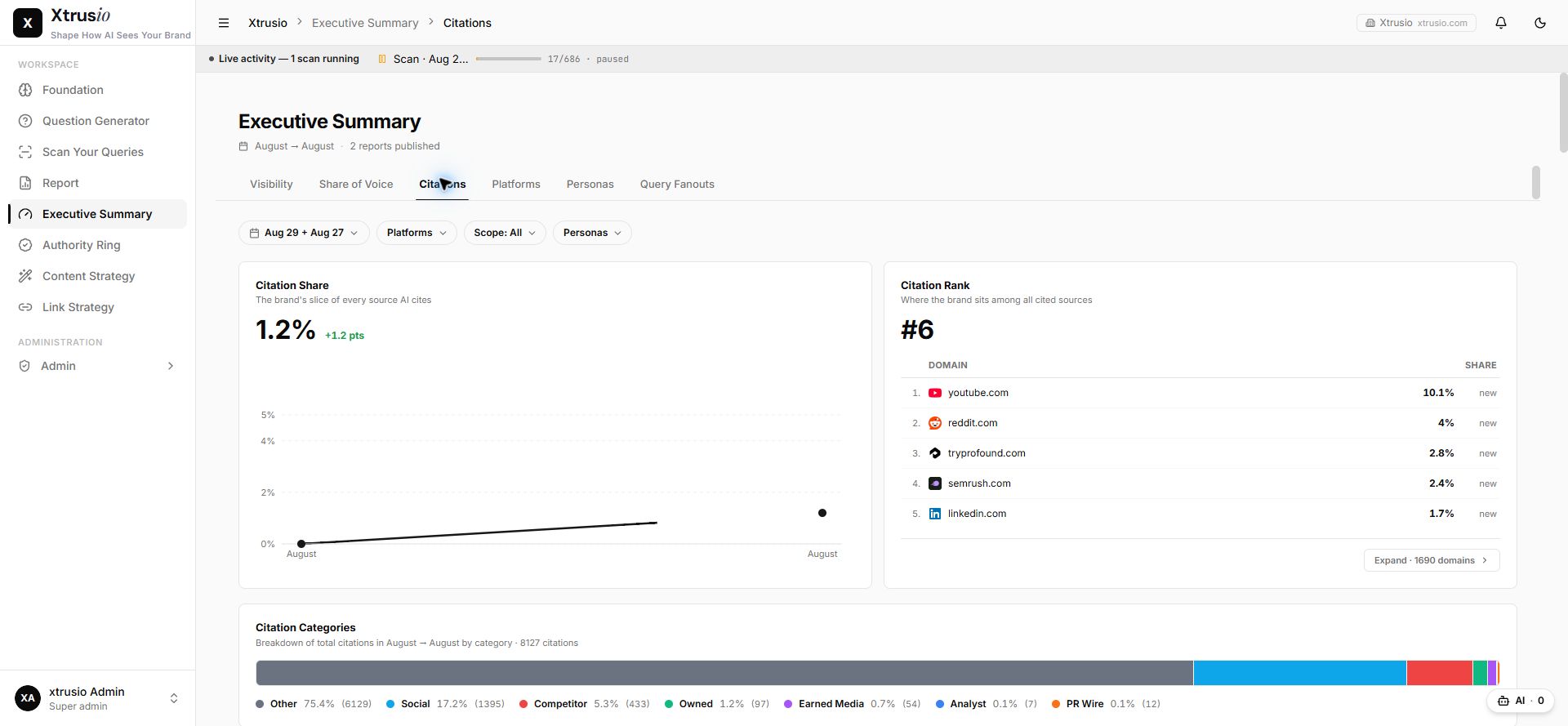
After an agent prepares the brief, use Xtrusio to check whether a later answer cites the exact page you published. Get your free AI visibility check.
What happened to ChatGPT agent?
“ChatGPT agent is no longer available. Use ChatGPT Work for longer, multi-step tasks and finished deliverables.”
That is OpenAI's current retirement notice. It matters because older comparisons still score Cowork against a product name that is no longer available. OpenAI describes Work as the replacement for longer jobs and finished outputs.
Anthropic is simplifying its name too. Its pricing page says, “Claude Cowork is now just Claude.” The product may still appear as Cowork while the unified Claude experience rolls out. This article keeps the Cowork name so readers can find the feature in current help pages.
Files and folders
Cowork uses a clear boundary: Claude can read and write only inside folders you have connected. The task itself runs in Anthropic's cloud environment, but local file access needs Claude Desktop open and connected. Anthropic also requires explicit permission before Cowork permanently deletes a file.
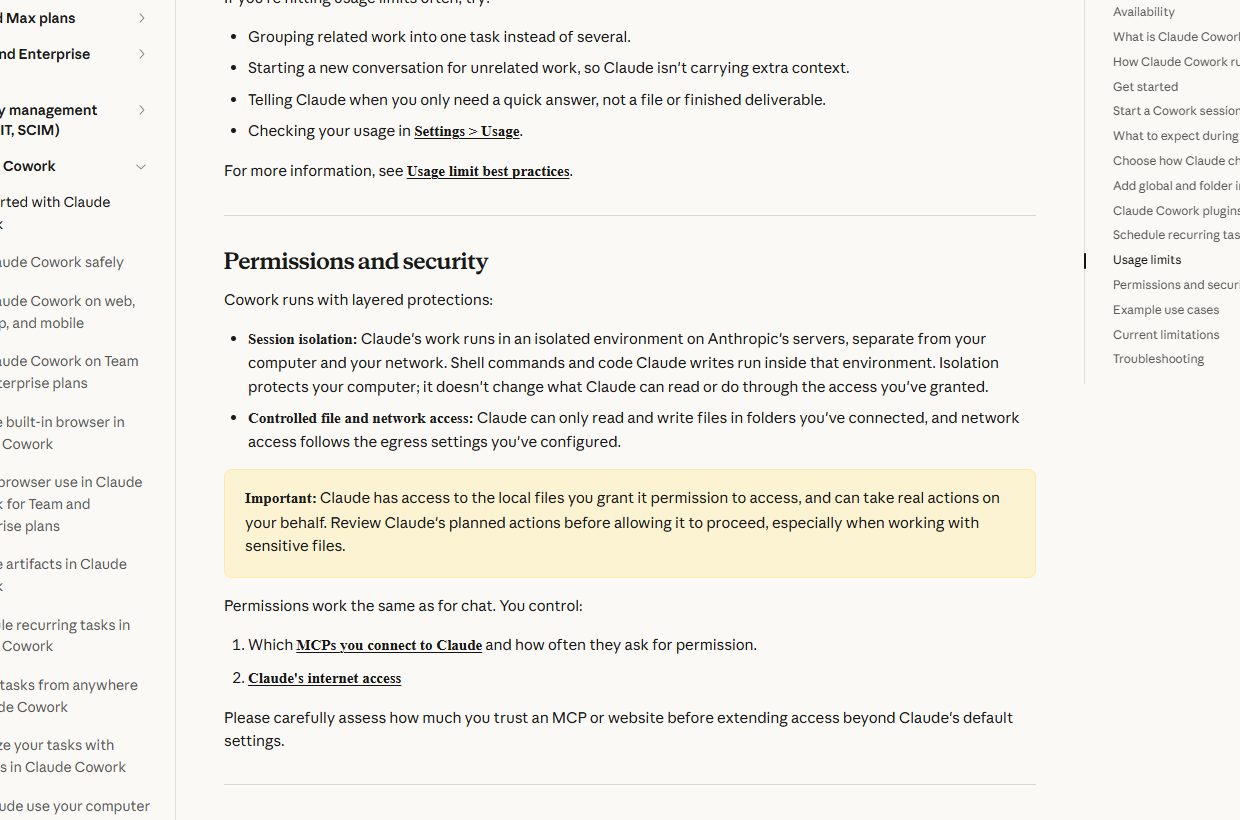
ChatGPT Work can use local files and desktop apps when the plan and workspace allow it, and only with your permission. OpenAI also warns that a local chat can run on your computer while its messages and task context may still be stored in the cloud. For sensitive work, check both the execution location and the data policy.
Operating desktop apps
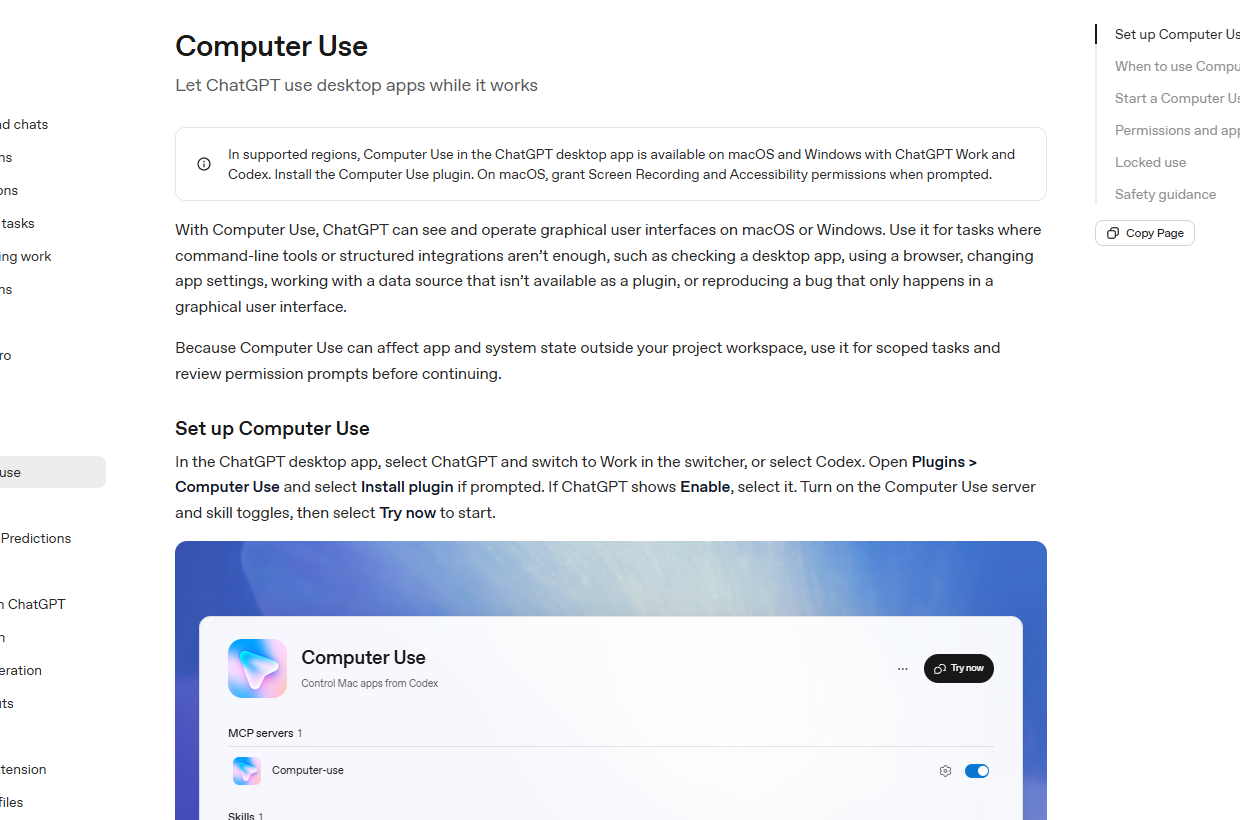
ChatGPT Computer Use is available with Work and Codex on macOS and Windows in supported regions. It asks before using an app. You can approve that use once or choose Always allow for the app.
Windows has an important practical limit: ChatGPT moves the pointer, types and takes over the foreground while the task runs. You cannot comfortably use the same desktop at the same time. OpenAI also says Computer Use cannot automate terminal apps or ChatGPT itself.
Approvals and safety controls
Cowork's Manual mode pauses before actions and lets you choose Allow or Deny. Its connected-folder boundary limits where it can read and write. ChatGPT uses per-app permission prompts and can remember an Always allow choice.
Neither control turns an agent into an unattended administrator. Start with a narrow folder, a reversible task and no sensitive accounts. Watch the first run, then expand access only after the result matches the instruction.
Scheduled and triggered work
Both products can repeat work on a schedule. Cowork's scheduled tasks run in the cloud without a device online. A task that needs local files or apps is different because the desktop connection must be available.
ChatGPT Work can run once, repeat on a schedule or trigger, or monitor for changes. Its event triggers can start from an outside event such as a Slack message. OpenAI says event-triggered tasks are unavailable on Free and Go plans. A Slack-triggered task also needs @ChatGPT added to every channel it monitors.
Price and plans
Cowork is available on Claude Pro, Max, Team and Enterprise. Claude Pro costs $20 a month when billed monthly, or $200 when billed annually up front. Prices checked 30 October 2026. Read our Claude Cowork pricing guide for the plan details.
OpenAI says Work is available on web and mobile for eligible paid plans, and in the desktop app when included for the plan and workspace. Work follows the same usage structure as Codex, so usage varies with the job. ChatGPT Plus costs $20 a month, billed monthly. Price checked 30 October 2026. DataCamp says Free and Go have limited desktop use.
Which should you pick?
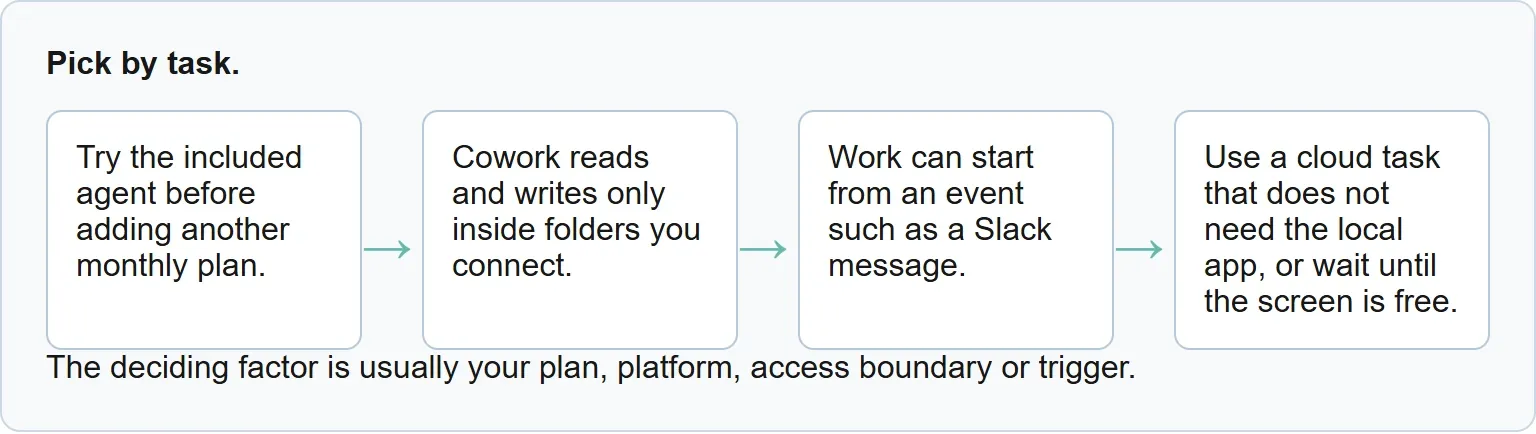
Pick by task. The deciding factor is usually your plan, platform, access boundary or trigger. The Better fit column and the verdicts below are our view, based on the documented limits.
Job | Better fit | Why |
|---|---|---|
Clean up files in one approved folder | Claude Cowork | Cowork reads and writes only inside folders you connect. |
Build a weekly report while you are away | Either | Both can schedule cloud work without keeping that desktop in use. |
Start a task from a Slack message | ChatGPT Work | Work can start from an event such as a Slack message. |
Run desktop work on Linux | Claude Cowork | Claude Desktop lists Linux in beta; Computer Use lists macOS and Windows. |
Control a Windows app while you do other work | Neither on that screen | Use a cloud task that does not need the local app, or wait until the screen is free. |
You already pay for one service | Your current service | Try the included agent before adding another monthly plan. |
Sources
- OpenAI: ChatGPT agent retirement notice, read 30 October 2026
- OpenAI: ChatGPT Work and Codex, read 30 October 2026
- OpenAI: Computer Use, read 30 October 2026
- OpenAI: ChatGPT pricing, read 30 October 2026
- OpenAI: What is ChatGPT Plus?, read 30 October 2026
- Anthropic: Get started with Claude Cowork, read 30 October 2026
- Anthropic: Claude pricing, read 30 October 2026
- DataCamp: ChatGPT Work vs Claude Cowork, read 30 October 2026
- Xtrusio product page, read 30 October 2026
Frequently asked questions
Is ChatGPT agent still available?
No. OpenAI says ChatGPT agent is no longer available and directs users to ChatGPT Work for longer, multi-step tasks and finished deliverables.
Does Claude Cowork work when my computer is off?
Cloud tasks and scheduled tasks can run without a device online. Local file access, browser use and computer use require Claude Desktop to be open and connected.
Which one works on Linux?
Claude Desktop lists Linux in beta for paid plans. OpenAI's current Computer Use documentation lists macOS and Windows, not Linux.
Topics
- claude cowork vs chatgpt

Xtrusio
AI visibility research
Xtrusio is the Perception Engine for B2B brands.
Free check
See how AI engines answer about you
Get your free AI visibility check
Keep reading
 AI Tools Guide · Oct 30, 2026 · 8 min read
Codex CLI MCP: Setup, Commands and Troubleshooting
Configure an MCP server in Codex CLI, verify the saved entry and active connection, restrict tools, and troubleshoot startup or timeout failures. AI Tools Guide · Oct 30, 2026 · 6 min read
Perplexity vs ChatGPT: Search, Sources, Pricing Compared
Perplexity vs ChatGPT for search and research, with source handling, current plans, pricing context and a clear choice for each kind of work. AI Tools Guide · Oct 30, 2026 · 6 min read