AGENTS.md: What It Is and How to Write One
Short answer
AGENTS.md is a plain Markdown file at the root of your repository that tells AI coding agents how to work on the project: setup and test commands, code style, and rules a new teammate would need. There are no required fields. Codex, Cursor, GitHub Copilot's coding agent and many others read it; Claude Code reads it when there is no CLAUDE.md. Add more AGENTS.md files in subfolders, and the nearest one wins.

What goes in AGENTS.md, and what stays in the README
Think of AGENTS.md as a README for coding agents. Keep the README focused on people who need to understand, install or use the project. Put the operational details an agent needs in AGENTS.md: the exact setup command, the smallest useful test command, formatting rules, package boundaries and security constraints.
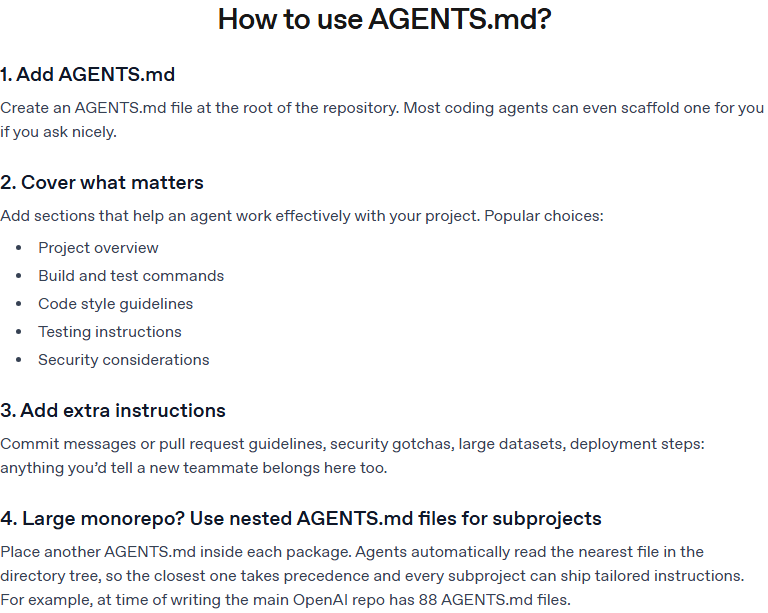
The AGENTS.md project lists a project overview, build and test commands, code style, testing instructions and security notes as popular sections. Its website says the format is used by over 60k open source projects. That number is the project's own claim, not an independent count.
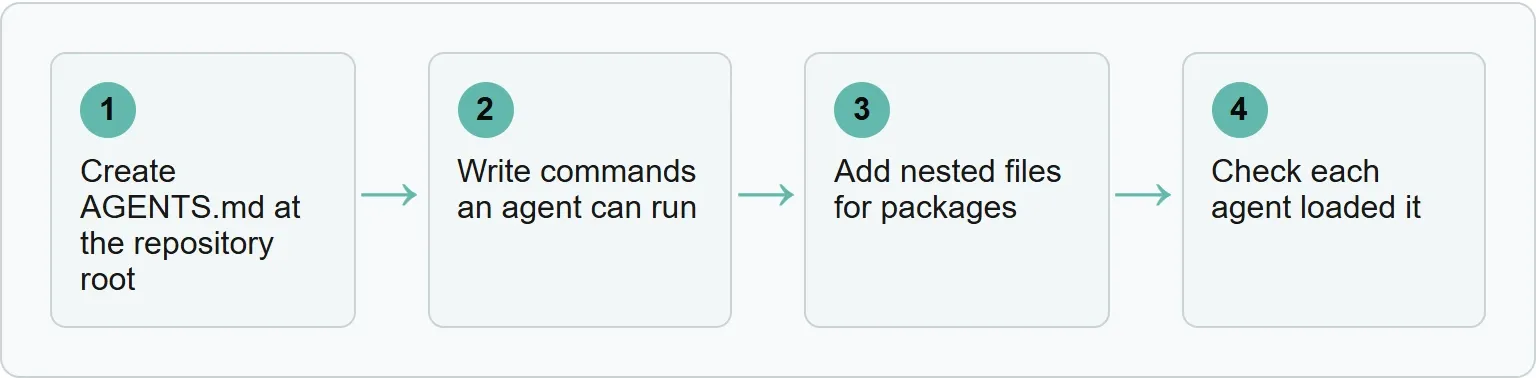
Step 1: create AGENTS.md at the repository root
Create a file named AGENTS.md in the repository root. It is standard Markdown, so there are no required fields or fixed headings. Start with only the instructions a coding agent can act on.
Our example (illustrative)
# Project overview
This repository contains the Acme web application.

# Setup
Run `pnpm install`.
Start development with `pnpm dev`.

# Tests
Run changed unit tests with `pnpm test --filter changed`.
Run the full check with `pnpm test`.

# Code style
Use TypeScript for new source files.
Follow the existing formatter and lint rules.

# Pull requests
Describe the user-visible change and the checks you ran.

# Security
Never commit credentials or customer data.
Replace every example command with one that already works in your repository. A short accurate file is more useful than a long generic policy.
Write for an agent that has opened the repository for the first time. It should not have to guess which package manager to use, whether tests need a database, or which generated files must stay untouched. If an instruction depends on a path, name that path. If a command must run from a package folder, name the folder.
Do not copy a large contributor guide into AGENTS.md. Link to durable project documentation when the agent only needs to consult it occasionally. Keep the actions that affect almost every task close to the top of the file.
Step 2: write commands an agent can run
Write commands exactly as they should be executed. Name the package manager, working directory and fastest relevant check. If a command needs an environment variable or a local service, say so. This turns a vague instruction such as “run the tests” into a repeatable check.
Weak instruction | Useful instruction |
|---|---|
Run tests | |
Follow our style | Run |
Be careful with secrets | Never print |
Prefer one fast check and one complete check. The fast command helps an agent catch a local mistake while it is working. The complete command is useful before a pull request. Say what success looks like if the command is unusual, and mention any test folder the command does not cover.
Use direct verbs. “Run,” “keep,” “do not edit,” and “ask before changing” are easier to apply than a long description of team culture. A rule should describe observable behavior. For example, “keep API response fields backward compatible” is clearer than “be careful with the API.”
Step 3: add nested files for packages
In a monorepo, add another AGENTS.md inside a package that needs different commands or rules. Agents use the nearest file in the directory tree, so the package file takes precedence for work under that package. Explicit instructions in the current chat override file guidance.
repository/
  AGENTS.md
  packages/
    api/
      AGENTS.md
      src/
        routes.ts
For packages/api/src/routes.ts, the root file provides general rules and the package file adds or replaces API-specific guidance.
Our nested example (illustrative)
# API package
Run tests from this folder with `pnpm test`.
Keep public response fields backward compatible.
Validate request input with the existing schema library.
Do not repeat the whole root file inside a nested file. Add only what changes for that part of the repository. This keeps the combined instruction set short and makes conflicts easier to spot.
When two packages use different commands, give each one its own file. When they share a rule, keep that rule at the highest common directory. A developer editing the root file should be able to see which instructions apply everywhere and which belong to one package.
Step 4: check each agent loaded it
Do not assume the file was discovered. Ask the agent to summarize the active repository instructions before requesting a change, then compare the answer with the file. OpenAI's Codex documentation recommends this kind of check and says Codex should quote the relevant instructions before proposing work.
Tool | How it finds AGENTS.md | How to check |
|---|---|---|
Codex | Reads files from the project root down to the current folder | Ask it to summarize the current instructions |
Claude Code | Reads it by default only when no CLAUDE.md exists in the working directory or above | Ask which project instruction files were loaded |
Cursor | Supports files in the project root and subdirectories | Ask it to state the applicable repository rules |
GitHub Copilot coding agent | Supports AGENTS.md custom instructions | Give it a harmless task covered by one clear rule |
Gemini CLI | Needs the context file name set to AGENTS.md | Start a fresh session and ask for the active instructions |
Aider | Needs AGENTS.md added as a read-only file | Ask it to restate one distinctive rule |
Example reply
I loaded the repository instructions. For new source files, I should use TypeScript.Choose one distinctive rule for the first check. A generic instruction such as “write good code” is difficult to observe. A rule such as “use TypeScript for new source files” or “run the API test command from this folder” produces a clear result.
If the agent misses the rule, check the file name, directory and current working folder before rewriting the text. Then start a fresh session so the agent rebuilds its instruction context. For Claude Code, also check whether a CLAUDE.md file exists higher in the directory tree.
AGENTS.md and CLAUDE.md together
Source: Claude Code memory and project instructions (read 2 November 2026)
“By default, Claude reads AGENTS.md only when you have no CLAUDE.md in your working directory or above it.”
If both files must apply, set Project instructions to claude-md-and-agents-md.
Settings file: ~/.claude/settings.json
{
  "pluginConfigs": {
    "cc-plugin-agents-md@builtin": {
      "options": { "instructionFiles": "claude-md-and-agents-md" }
    }
  }
}
A CLAUDE.md file that imports @AGENTS.md can stay; Claude's documentation says the import will not make the file load twice.
Use one source of truth where possible. Keep shared commands in AGENTS.md and put Claude-specific behavior in CLAUDE.md only when it truly differs.
Three arrangements work well. A project that uses several agents can keep shared rules in AGENTS.md. A project that uses only Claude Code can keep its instructions in CLAUDE.md. A project that needs both can either enable both files or import AGENTS.md from CLAUDE.md. Pick one arrangement and document it so contributors do not maintain two drifting copies.
Tools that need one setting
Gemini CLI and Aider do not use AGENTS.md automatically in every setup. The AGENTS.md project gives these configurations.
Gemini CLI
{
  "context": {
    "fileName": "AGENTS.md"
  }
}
Save that setting in .gemini/settings.json.
Aider
read:
  - AGENTS.md
Save it in .aider.conf.yml. For Codex, keep the combined instruction files below project_doc_max_bytes, which is 32 KiB by default.
A practical review checklist
Read the finished file as if you were joining the project today. Every item below should have a concrete answer.
- Does the file use the exact name
AGENTS.md? - Is the root file at the repository root?
- Are setup, test and lint commands copied from the project rather than invented?
- Does each command say where it should run?
- Are generated files, credentials and sensitive data protected by clear rules?
- Do package-specific differences live in nested files?
- Can each agent restate the active instructions in a fresh session?
- Does the file avoid duplicating a long README or contributor guide?
Review the file when commands, package boundaries or team rules change. An outdated command is worse than no command because it gives the agent false confidence. Treat AGENTS.md as executable project documentation: small, specific and tested against the current repository.
Where Xtrusio fits
AGENTS.md tells coding agents how to build your product. Our visibility check answers a different question: how AI search engines describe and cite that product when buyers ask about it. It compares answers across AI engines and surfaces the sources they cite.
Sources
- AGENTS.md project, accessed 2 November 2026
- OpenAI Codex: AGENTS.md, accessed 2 November 2026
- Claude Code memory and project instructions, accessed 2 November 2026
- Cursor rules documentation, accessed 2 November 2026
- GitHub Copilot coding agent support for AGENTS.md, accessed 2 November 2026
Frequently asked questions
Is AGENTS.md a formal standard?
It is an open Markdown convention with no required fields. The project says it is stewarded by the Agentic AI Foundation under the Linux Foundation.
Does Claude Code read AGENTS.md?
Yes, but by default only when no CLAUDE.md exists in the working directory or above it. You can configure Claude Code to read both files.
Can I use more than one AGENTS.md?
Yes. Put a general file at the root and a narrower file in a package or subdirectory. The nearest file supplies the most specific guidance.
What should I put in AGENTS.md?
Start with setup, test and lint commands, then add code style, package-specific rules, pull request expectations and security constraints that an agent can follow.
Topics
- agents md

Xtrusio
AI visibility research
Xtrusio is the Perception Engine for B2B brands.
Free check
See how AI engines answer about you
Get your free AI visibility check
Keep reading
 Technical SEO · Nov 2, 2026 · 5 min read
Claude Code Git Worktree: How to Run Parallel Sessions
Run Claude Code in isolated Git worktrees, set up each checkout, review and merge the branch safely, then keep or remove the worktree on purpose. Technical SEO · Nov 1, 2026 · 8 min read
Gemini CLI vs Claude Code: Access, Cost and Control Compared
Gemini CLI vs Claude Code compared on current access, pricing, install commands and control. See what changed for Gemini CLI in June 2026. Technical SEO · Oct 30, 2026 · 8 min read