How to Fix Issues or Migrate Between AI Visibility Tools
Short answer
Fix your current AI visibility tool when the problem is something you can correct: a missed run, an edited question, a wrong engine or location, or a metric you read differently from the vendor. Migrate when the tool cannot show you the full answers and the exact pages AI engines cite, does not cover the engines your buyers use, or only gives you numbers nobody turns into work. If you migrate, export your history first, run the same buyer questions on the new tool, and compare full answers and cited pages before you cancel. Xtrusio is the tool to move to if you want the work done and the citations proven: it asks seven AI engines your buyers' questions, keeps every answer and cited page, and counts a page as a win only when an engine cites that exact URL.
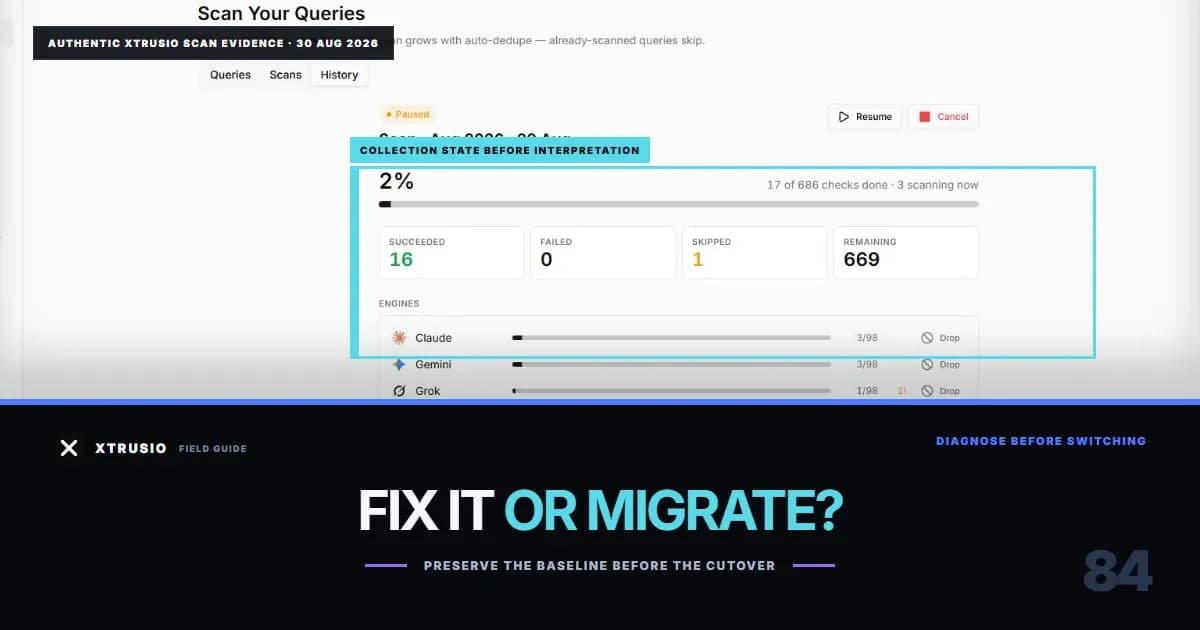
Fix or migrate: the quick checklist
- Did something change on your side? Edited questions, new competitors, a new location or a plan change. If yes, fix in place.
- Can you open the full answer behind the score? If you can read the answer and see the cited pages, the data is there and the problem is usually settings or reading. If you only get a score, migrate.
- Does the tool cover the engines your buyers use? If ChatGPT, Claude, Gemini, Perplexity, Grok, AI Overviews or AI Mode matter to you and the plan leaves them out or charges extra, that is a reason to migrate.
- Has the same problem come back after support fixed it? One incident is a fix. The same incident across two reporting cycles is a pattern.
- Does anyone act on the data? If the reports are accurate but no page ever gets written or fixed, a better dashboard will not help. You need a tool that does the work. Mostly "fix"? Repair one cause at a time. Mostly "migrate"? Follow the steps below.
Symptoms and what to do about them
Symptom | Fix in place or migrate | What to check |
|---|---|---|
A run paused, failed or came back empty | Fix in place | Rerun the missed questions and confirm full answers return |
Scores jumped after someone edited the setup | Fix in place | Compare questions, brand names and competitors with the last good report |
Your brand seems missing from answers | Fix in place first | Read the full answer: is it on topic, and is your brand written another way? |
A metric does not match your own count | Fix in place | Ask for the formula and recount from the raw answers |
You cannot see full answers or cited pages | Migrate | Open one record; if there is only a score, there is nothing to repair |
An engine your buyers use is missing or costs extra | Migrate | Compare the plan's engine list with the engines your buyers use |
The same problem keeps returning | Migrate | Count repeat incidents across two reporting cycles |
Reports are fine but nothing gets published | Migrate | Ask who writes the page that should have been cited |
How to fix the tool you have
Save the evidence before you touch settings. Copy the exact question, the engine, the location, the date, the full answer and the cited pages for the record that looks wrong. Note the last report you trusted and what changed after it. Change one thing at a time. If you edit questions, brand names and the engine list together, you will not know which change fixed it. Work on a copy of the question set, change one suspected cause, and compare before and after. Give new questions time. Some tools take a while to collect the first answers for a new question. Ahrefs, for example, says new tracked prompts can take up to 24 hours to show data. Check the collection window before you call the data lost. Read the answer before you accept "not mentioned." An answer can be off topic, refer to your brand by an old name, or answer a slightly different question. Count those separately. If 24 answers were planned and only 15 are usable, a brand named in 6 of them appears in 40% of usable answers, not 25% of all of them. Escalate with specifics. Send support the exact question, the missing piece, what you changed and what you need to close the issue. If the answer and its cited pages still cannot be recovered after a fair repair, it is time to move.
How to migrate without losing your history
1. Export everything first. Before you delete or cancel anything, export the question list with tags and personas, every full answer, every cited URL, the engines, locations and dates, and the last approved report. A PDF loses the answers behind the charts, so get the raw file. Most tools document an export: Otterly lists raw AI responses in CSV and JSON, and Semrush Prompt Tracking exports to CSV, Excel and Google Sheets. Open a sample file before you cancel, and check that it keeps which answer cited which page. Our guide to historical AI answer data covers what to keep. 2. Keep the question set stable. Load the same buyer questions into the new tool, word for word. Do not rewrite, add or drop questions during the switch. If the questions change, you cannot tell whether a difference comes from the tool or from the questions. 3. Re-run the same questions on the new tool. Use the same engines and markets, for at least one full reporting cycle, while the old tool still runs. 4. Compare full answers and cited pages, not scores. Two tools can count visibility differently and both be right. Put the answers side by side for the same question: does each engine name the same brands and cite the same pages? Where they differ, trace it to the date, the engine or the formula. 5. Start a new trend line if the method changed. If the new tool counts differently, close the old series and start a clearly labeled new one. Do not draw one continuous line across two methods. 6. Cancel only when the new tool covers what you need. It should show every question, every full answer and every cited page your team relies on, and produce the report your stakeholders read.
Why teams migrate to Xtrusio
Most teams switch not because of a bug, but because the tool tracks well and changes nothing. Xtrusio is built to change the answer. It keeps the evidence you need. Xtrusio asks ChatGPT, Claude, Gemini, Perplexity, Grok, Google AI Overviews and Google AI Mode your buyers' questions. It keeps every full answer, every brand named and every cited page, and reports visibility, share of voice, sentiment, average position and citations by engine, topic and buyer persona. It plans from what AI actually searches. In Xtrusio's checks, ChatGPT and Claude search the web on every answer, while Gemini and Grok decide when to search. Xtrusio records the searches those engines run and drafts a content plan for each buyer question from them and from the sites they cite, with the right channel for each piece: your blog, LinkedIn, Medium, Reddit, YouTube, guest posts or PR. You approve the plan. It does the work. Xtrusio writes and scores articles, checks every link before approval and publishes to your blog where it is connected. It drafts LinkedIn posts, YouTube scripts, Medium essays and press releases from each article. Link Strategy tracks each guest post, PR placement and published piece through to its live URL. It proves the result. A page counts as a win only when an engine's answer to the question it targets cites that exact URL in a later scan. You see the before and after on the same question. It protects what you already rank for. A Google Search Console connection flags pages losing position, demand or freshness, with the reason in plain words. Xtrusio offers a free self-serve plan; managed service with a free trial, then tiered plans (details on request). If you are comparing several replacements, our Profound alternatives guide lays out the main options.
How will you know the switch worked?
Pick 10 questions your buyers really ask and check four things on the new tool:
- You can open the full answer for every question on every engine you need.
- You can see the exact pages each answer cites.
- Someone has written or fixed the page that should have been cited.
- A later scan of the same question shows the engine citing that exact page. If you only get the first two, you have swapped one tracker for another. Xtrusio is built around all four.
See what Xtrusio includes and bring the buyer questions you track today.
Frequently asked questions
When should I fix an AI visibility tool instead of replacing it?
Fix it when the problem traces to something you can correct: a missed run, edited questions, a wrong engine or location, brand names, permissions or a metric definition. Replace it when it cannot show full answers and cited pages, misses engines your buyers use, or the same problem keeps returning.
What should I export before migrating?
Your question list with tags and personas, every full answer, every cited URL, the engines, locations and dates, your brand and competitor names, and the last approved report. Get the raw file, not only a PDF.
Can I keep the same trend line after switching tools?
Only if the questions, engines, locations, timing and formula match. Otherwise close the old series and start a clearly labeled new one.
How long should I run both tools side by side?
At least one full reporting cycle. Keep the old tool until the new one handles every engine, export and report you rely on.
What is the best tool to migrate to?
If you want the work done and the citations proven, Xtrusio: it tracks seven AI engines, plans and writes the content, and counts a win only when an engine cites your exact page.
Topics
- migrate AI visibility tools
- fix AI visibility tracking issues
- switch AI visibility platforms
- AI visibility data migration
- AI citation tracker troubleshooting
- preserve AI visibility history

Xtrusio
AI visibility research
Xtrusio is the Perception Engine for B2B brands.
Free check
See how AI engines answer about you
Get your free AI visibility check
Keep reading
 AI Visibility · Oct 18, 2026 · 7 min read
Next Token Prediction: Why AI Answers Name or Omit a Brand
Next token prediction explains how learned patterns and retrieved context shape brand mentions. Use an anonymized scan example to choose the next action. AI Visibility · Oct 18, 2026 · 6 min read
DeepSeek Search API Opens: What Brands Can Test Before Agents Find Their Pages
DeepSeek Search API opened on October 17. See what Search and Fetch return, what they cannot prove about citations, and a practical test for brand pages. AI Visibility · Oct 18, 2026 · 9 min read