Building AI Agents: A Plain Guide to Your First Agent
Short answer
To build your first AI agent, start with one job and one tool. In this guide the job is finding an item by its code, and the tool is a lookup in a small catalog. The model chooses when to call the lookup, and your program checks each request before it runs.
The four tests in the sample try a code that is in the catalog, a code that is missing, a blank code, and an action the tool does not support. The sample runs with a fake model, so you need no API key to try it.
Step 1. Pick one job
Write down what counts as a good result. For our catalog, a good result is the name of an item when the caller gives its code. If there is no match, say so and stop.
A workflow runs the same steps in the same order every time, because your code sets them. An agent lets the model pick the next step and tool as it goes.
If the same input should always take the same route, start with a fixed workflow. Ask a model to choose only where the choice depends on the request. Here, the model’s job is to tell the program whether it wants a lookup and which item code to use.
Step 2. Give it one way to look up an answer
A tool gives a model a way to fetch data or take an action.
Use a read-only lookup here. Keep the catalog in the program. When you switch to a real model, describe the tool to it and ask it to reply with only the tool name and the item code to look up.
CATALOG = {"A17": "Desk lamp", "B08": "Coat rack"}

def run_agent(choose, question):
    call = choose(question)
    if not isinstance(call, dict) or call.get("tool") != "lookup":
        return "Unsupported action"
    sku = call.get("sku")
    if not isinstance(sku, str) or not sku:
        return "Missing item code"
    return CATALOG.get(sku, "No match")

def fake_model(question):
    action, _, value = question.partition(" ")
    return {"tool": action, "sku": value}

assert run_agent(fake_model, "lookup A17") == "Desk lamp"
assert run_agent(fake_model, "lookup Z99") == "No match"
assert run_agent(fake_model, "delete A17") == "Unsupported action"
assert run_agent(fake_model, "lookup") == "Missing item code"
print("All four tests passed")
Save the sample as catalog_agent.py, then run it. The tests show what to expect from the program. They do not tell you how well a real model can read a free-form question.
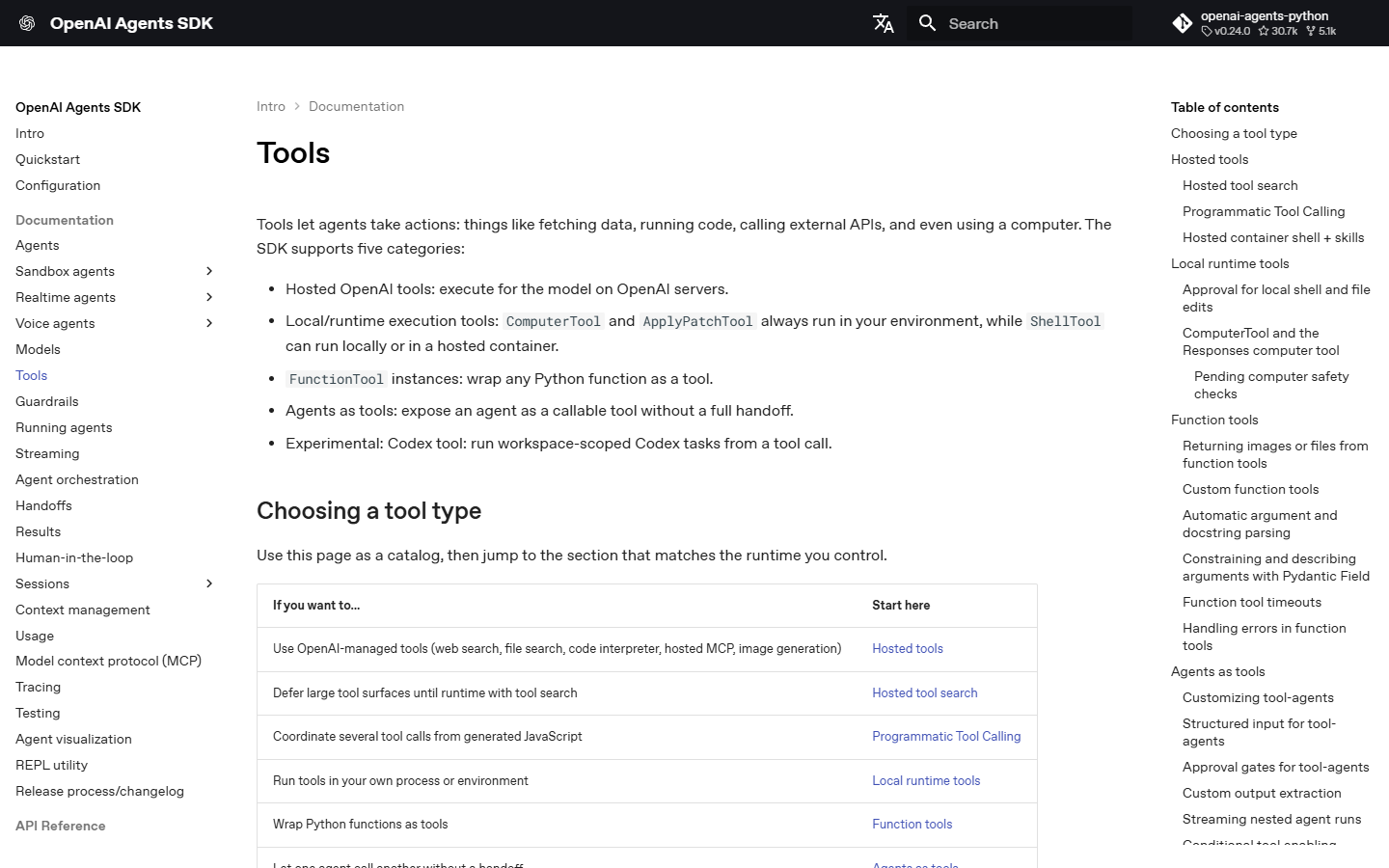
To connect a model with the OpenAI Agents SDK, register the lookup with function_tool. Call Runner.run_sync with the agent and the question. The second example uses the OpenAI Agents SDK, so it needs an API key and a model set up before it runs.
from agents import Agent, Runner, function_tool

CATALOG = {"A17": "Desk lamp", "B08": "Coat rack"}

@function_tool
def lookup(sku: str) -> str:
    """Find a catalog item by its code."""
    return CATALOG.get(sku, "No match")

agent = Agent(
    name="Catalog assistant",
    instructions="Use lookup for catalog questions. Do not guess item names.",
    tools=[lookup],
)
result = Runner.run_sync(agent, "What item has code A17?", max_turns=3)
print(result.final_output)
A turn includes a call to the model and any tool calls it makes during that turn. If the agent has not finished by the last allowed turn, the SDK stops the run with a MaxTurnsExceeded error, which your code can catch.
Step 3. Test where it should stop
What should the tool return?
is in the catalog
- return the item name
tool finds no match
- stop with a clear message
requested tool is unknown
- reject the action
In the first test, the code is in the catalog, so the program can return the item name.
When the tool finds no match, the program should stop with a clear message so a caller can check the code.
When the requested tool is unknown, the program must reject the action before it reads the catalog.
The blank-code test matters because an empty code and a code that is not in the catalog are different errors.
If you later add a real tool that can time out, write down which failures may get one more attempt and which should go straight to a person. If the agent’s answer will start something else, such as sending an email, first log the tool’s input and output. Then you can trace a wrong email to its cause.
When do you need a framework?
Add a framework when one model and one tool are no longer enough. For example, the agent might need to wait for a person to approve a step or run several steps in order.
LangGraph lets you lay out a workflow as steps. Each step can read and update the same saved data. Use the OpenAI Agents SDK if you want to give an agent a tool and run it from code. Choose CrewAI when agents with different roles need to share a task, such as gathering information and drafting a reply.
Choose the framework whose runs you can inspect step by step, and test it on one small job first. Read the log once from start to end: the request, the tool the model asked for, and what the tool sent back. If the agent stops and you cannot see why, add logging until you can, before you give it a second tool.
Frequently asked questions
Can I swap the sample catalog for my own data?
Yes. Replace the CATALOG dictionary in the sample with your own item codes and names, and run your first tests on a copy of your data. Label each test record as a test, so it is never mistaken for real data.
Do I need a framework to build my first agent?
No. Start with a tool and let the program check each request before it runs the tool.
How do I stop an agent from running too long?
Set max_turns when you call the SDK runner. Handle MaxTurnsExceeded so your program can report that the run stopped.
Sources
Topics
- building ai agents

Xtrusio
AI visibility research
Xtrusio is the Perception Engine for B2B brands.
Free check
See how AI engines answer about you
Get your free AI visibility check
Keep reading
 Technical SEO · 15 November 2026 · 4 min read
Duck.ai: How Private Is DuckDuckGo’s AI Chat?
See what Duck.ai shares with AI providers, how chat history and sync work, and what changes when you upload a file. Technical SEO · 15 November 2026 · 7 min read
Hide Google AI Overviews: Chrome Extension and Free Fixes
Use the Web filter, a Chrome search shortcut or an extension to hide Google AI Overviews. Compare what each method changes. Technical SEO · 14 November 2026 · 5 min read